Tiny Corp's Tinybox configurator is now AMD-only, after a new commit titled "rip nvidia" removed every Nvidia option and the Tinybox Pro
The six-GPU, 192GB Radeon AI Pro R9700 build rose from $19,000 to $22,000, and a lower-end four-card, 128GB version now starts at $17,000
For those wanting Nvidia only, a $91,000 tinybox green v2 with four RTX Pro 6000 cards is still listed in the company's Shopify storefront, about 40% above the $65,000 it charged in May
When TechRadar Pro covered Tiny Corp's relaunched Tinybox on October 13 2026, the headline figure was $11,000 for a server-grade workstation pairing a 32-core AMD EPYC processor and DDR4 memory with four Radeon RX 9070 XT graphics cards.
Less than two weeks on, that configuration is still listed at the same price, but what surrounds it has changed considerably.
Tiny Corp's online configurator is now AMD-only, according to the configurator itself and the public commit history of its website; the RTX 5090 options disappeared on October 11, and the $19,000 RTX 6000 was marked out of stock on October 21, while those thinking this was just a temporary setback were greeted by a commit titled "rip nvidia" that deleted every remaining Nvidia option, along with the $32,000 tinybox pro platform.
AMD GPUs galore?
The AMD side has moved in the opposite direction: Tiny Corp added a six-GPU build based on AMD's Radeon AI Pro R9700, with 192GB of GPU memory, on October 13. It raised each card from $2,000 to $2,500 on October 23 and added a four-card version the next day.
The cheapest six-card build, the "tinybox red flash" preset that the configurator now opens on, has gone from $19,000 to $22,000. The other two presets ship with no GPUs, described as "Bring your own GPUs."
The new Tinybox launched on October 8 with a short GPU list: four RX 9070 XT cards at $1,000 each, or one or two RTX 6000 cards at $19,000 apiece. RTX 5090 options at $8,000 per card were added a day later and were gone by October 11, removed in a commit with the message "rtx5090s aren't made anymore."
Nvidia disputes this, however: at an event in Taipei, Nvidia's Jeff Fisher said that despite a seemingly massive shortage of the chip on multiple US storefronts, "it has not been discontinued."
Fisher's comments followed a leak claiming Nvidia would divert its GB202 silicon to RTX Pro cards, and a warning from custom PC maker StinceBuilt that "Retail GPU pricing is expected to climb significantly," as we reported on October 12.
Tiny Corp's list included Nvidia's 96GB RTX Pro 6000 Blackwell workstation card, and its price has followed a curve similar to the RTX 5090 on consumer storefronts. It launched at $8,565 in March 2025, reached $13,250 on Nvidia's own marketplace by June, according to Tom's Hardware, and hit $16,000 there in August, per TweakTown.
Nvidia hasn't completely disappeared from Tiny Corp's storefront; The company's Shopify store, still linked from its FAQ, lists a tinybox green v2 with four RTX Pro 6000 Blackwell cards and 384GB of GPU memory at $91,000, made to order in two to eight weeks.
The website's own history shows Tiny Corp listing the same configuration at $65,000 as recently as May, which puts the current price about 40% higher. The store also still lists the $32,000 Tinybox Pro, but its description tells buyers to use a configurator that no longer offers it, suggesting potential orders may not be processed.
There is some irony here: in 2024, Tiny Corp put its AMD-based box on hold over unstable firmware and launched an Nvidia version, telling customers, "If you want 'it just works,' buy green," as The Register reported. The October 24 commit scrubbed green from the configurator right down to its stylesheet, deleting the green preset label and Nvidia's accent color.
Each R9700 carries 32GB of GDDR6 with 640GB/s of bandwidth and a 300W board power rating, according to AMD, so six of them provide 192GB and 3,840GB/s in aggregate.
Tiny Corp caps each card at 225W in the six-card build, and the arithmetic suggests why: six cards at their full rating could draw up to 1,800W on their own, more than the Tinybox's 1,700W power supply, while the cap brings them down to 1,350W. The four-card build has no cap, so the same math applies: four cards at 300W total 1,200W.
The price rise is steep, but not completely unwarranted. Partner versions of the card were listed between $1,244 and $1,277 when it first went on sale in July 2025; AMD later set a $1,299 retail price, and one buyer's guide recorded street prices of roughly $1,400 to $1,900 when it rechecked them in September. At $2,500 per card, Tiny Corp now charges nearly double the official price.
Despite using an older 'G4' configuration locked to PCI-E 4.0 speeds, DDR4 memory, and an older 32-core EPYC CPU, the configuration can, when you plug in the maximum number of configurable GPUs and memory, cost as much as $25,000 without any RAID configuration memory whatsoever.
That is a long way from the first Tinybox, a $15,000 box of six Radeon RX 7900 XTX cards that drew 583 preorders in 2024. The FAQ still says the goal is to "commoditize the petaflop and enable AI for everyone."
The configurator now offers that through three AMD GPU options and no Nvidia ones, while a $91,000 Nvidia box sits in the shop, but it is unclear if such orders will be honored. Whether that reflects Nvidia's supply squeeze, the years Tiny Corp has spent building its own AMD software stack, or both, a two-word commit message doesn't convey well enough, one way or another.
You’d be surprised how much of your data is publicly available online. Remember those platforms where you entered your email address, phone number, or house address? Some of that information may have been curated by data broker sites and made accessible to the public, for a fee.
These sites have built a business model of letting users discover people’s personal data, and because this data is mostly collected from public sources, the model is permitted.
Data removal platforms are the antidote to data broker sites that aggregate personal information. With these platforms, you can scan numerous data broker sites for your information and, if discovered, send automated deletion requests. I’m reviewing one such data removal service, ClearNym.
It isn’t as popular as some of the best data removal services we've tested, but it’s a notable name in this niche. Read on to learn what it offers and how it compares to the competition.
ClearNym: Plans and pricing
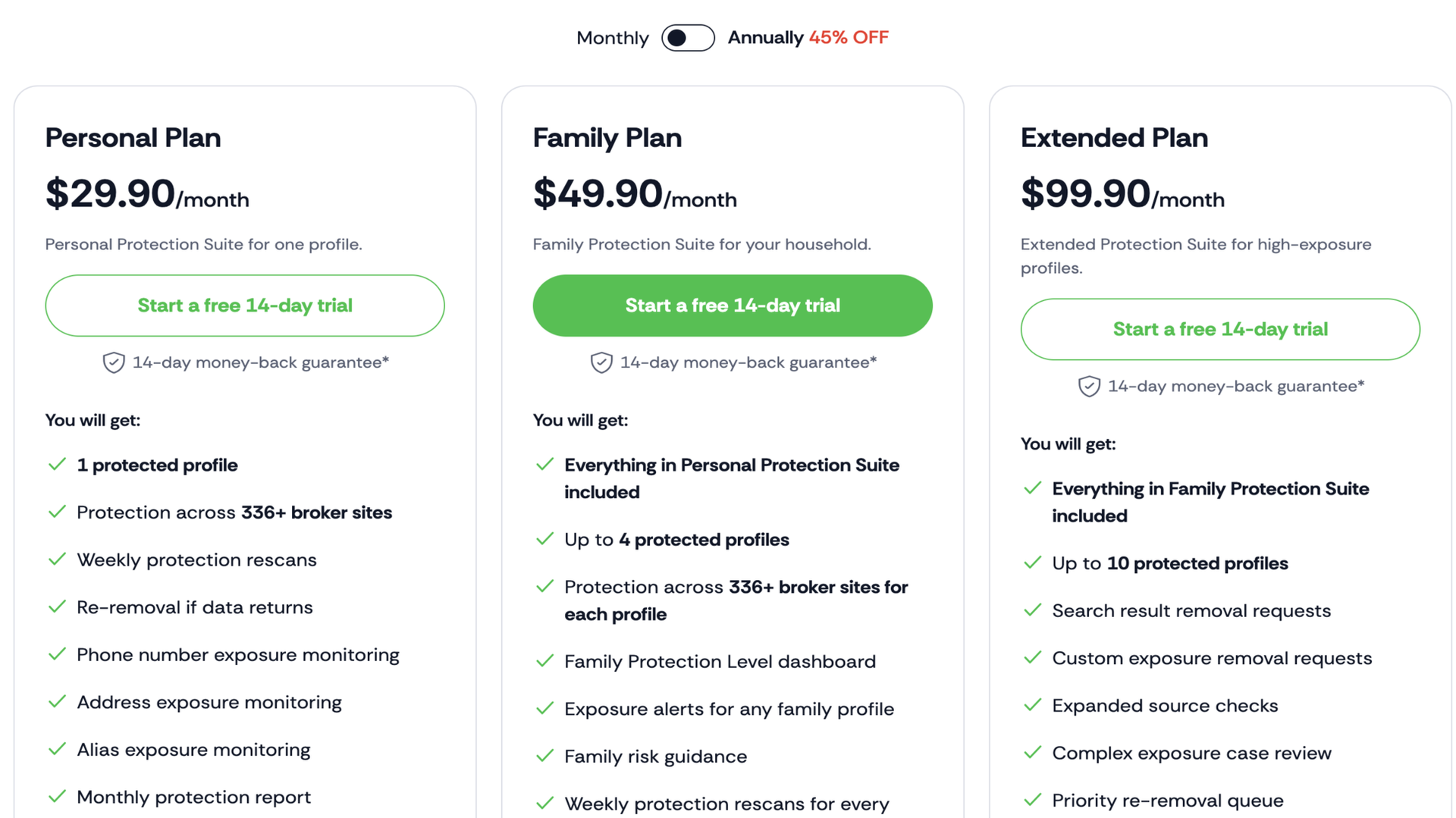
ClearNym offers distinct pricing plans for individuals and families, with the latter being discounted. The personal plan costs $30 per month and unlocks data removal from 336+ broker sites, weekly rescans and re-removal, and phone number/house address exposure monitoring (you’ll be alerted if either information is found on a public site).
The Family plan costs $50 per month and unlocks the same features as the personal plan, but for 5 users. Instead of each family member paying $30 per month for the personal plan, a steeply discounted $50 per month subscription covers up to 5 members (it’d have been $150 if each member paid individually).
There’s also an Extended plan that offers data removal for 10 users. For $100 per month, this plan also lets users send custom removal requests to data broker sites not included in ClearNym's native coverage.
(Image credit: ClearNym )
ClearNym offers 45% discounts off the monthly price if you pay annually. For example, instead of paying $30 per month for 12 months, summing up to $360, for the personal plan, an annual subscription costs $198. Paying for 12 months upfront reduces the price significantly, so I’ll advise doing so if you can afford to.
It also helps that ClearNym offers a 14-day free trial to test its features before paying. If unsatisfied during the free trial, you can cancel the subscription without getting billed. Even after paying, there’s a 28-day window to request a refund (the 14-day free trial is included in this window).
ClearNym: Setup
ClearNym doesn’t take much effort to set up. Anyone can visit the official website and create an account. It offers a free trial that includes a few data removal scans.
After signing up, enter your information (full name, email address, or phone number). You also need to enter a location (to help narrow the search results), and ClearNym will run a deep scan on 336+ data broker sites. The scan usually takes a few minutes, but can be longer depending on the volume of data discovered on the sites.
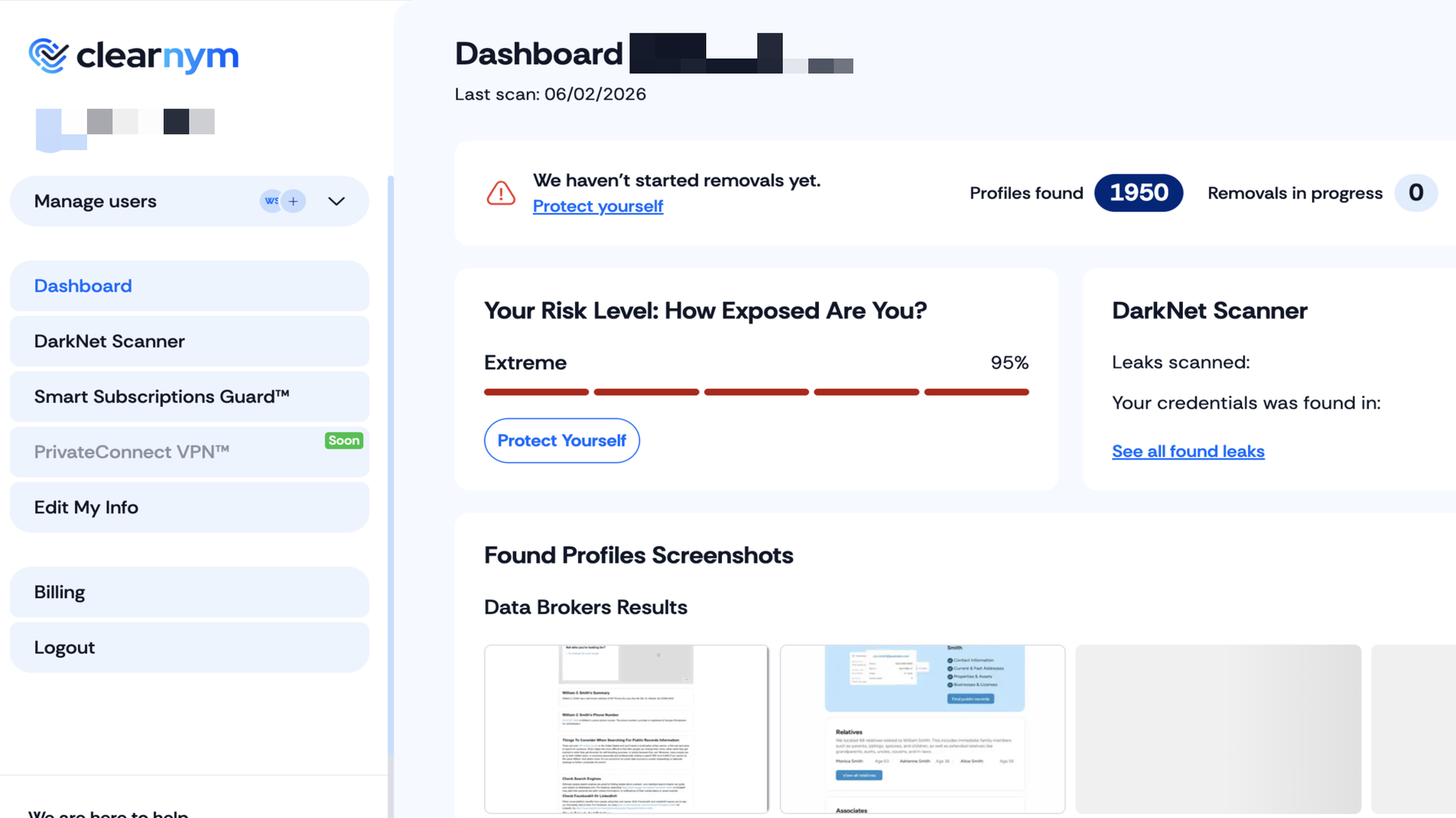
Once the scan completes, ClearNym shows the number of sites the data was discovered on. In my case, I entered a random name (William Smith) and chose a random location (Atlanta, Georgia). Unsurprisingly, ClearNym found 1,950 profile matches.
(Image credit: ClearNym )
You may be wondering why I didn’t use my actual name. The thing is, I’ve used so many data broker sites for tests and reviews that they're probably tired of receiving my deletion requests. A scan for my credentials turns up so little data that it won’t be an effective way of demonstrating how good data removal platforms are at their job.
With data discovered, the next step is sending removal requests to all identified data broker sites, but there’s a catch. ClearNym requires formally starting a free trial to send removal requests, and payment credentials are needed to activate the free trial. You won’t get billed until 14 days after activating the trial; you can cancel it anytime before the 14th day.
Even after paying, there’s an extra 14-day window to request a refund, but this requires some back and forth with ClearNym’s sales team. Canceling the free trial is much easier if you aren’t satisfied with what you see.
ClearNym supports both automated and manual removal requests, although the latter is reserved for users on the Extended plan. Automated removal requests are sent quickly to any site among the 336+ brokers covered by ClearNym. You can monitor the progress of each request from your dashboard, and you’ll be alerted by email once any request gets successfully processed.
As an Extended subscriber, if you spot your data on a broker site that’s not under ClearNym’s network, you can initiate a manual removal request; this involves ClearNym’s experts drafting a custom request on your behalf. Custom requests take longer to process and may not always work, but they’re worth a try.
ClearNym: Ease of use
ClearNym offers a simple-to-navigate interface defined by minimal colors and clearly highlighted menus. Features are arranged neatly on the left side, and the main dashboard lies on the right, with clear icons to navigate your way through. From signing up to initiating and monitoring removal requests, I had no complaints about ClearNym’s ease of use.
ClearNym: Security and privacy
ClearNym doesn’t just offer data removal. It also offers dark web monitoring, where data breach databases are scanned for your personal information, and you’ll be alerted if there’s any match. ClearNym has also said it’ll soon add a VPN to its suite. Combined, these tools help maximize your online privacy and security.
ClearNym: Support
ClearNym doesn’t offer a detailed self-help resource center like many rivals. I did find a large collection of user guides, but they were mostly about how to opt out of data broker sites, with ClearNym positioned as the easy option. I didn’t find detailed guides about ClearNym’s features.
On the bright side, ClearNym offers direct support via email and telephone. Subscribers can contact the support team and get quick responses to their inquiries.
ClearNym: Competition
ClearNym has many rivals, with Incogni being a notable name I’d like to highlight. Incogni has broader coverage, with 420+ sites compared to ClearNym’s 336+. It also offers custom removals for hundreds more sites.
I’ll say Incogni is a better option if your goal is removing personal information from data centers en masse. However, ClearNym is better for targeted removals from specific sites that aren’t covered natively.
ClearNym: Final verdict
ClearNym is a reliable data removal platform, particularly for custom deletion requests. The family plan is affordable relative to competitors and helps maximize online privacy. It doesn’t have the most comprehensive security features outside of data removal, but it’s really good at this core function.
I recommend ClearNym more for family than individual use because of the highly discounted family bundle ($50 per month for 5 users compared to $30 per month for the Personal plan).
HPE is deploying its Spaceborne Computer to the Moon
The system will be hosted on the Astrolab Flex Lunar Innovation Platform (FLIP) lunar rover
Hewlett Packard Enterprise is the enterprise-focused component of the old Hewlett-Packard, and operates out of Texas
HPE has emerged as a key partner in the deployment of the Astrolab FLIP lunar rover, with its Spaceborne Computer program joining other projects within NASA’s Commercial Lunar Payload Services program.
The fourth generation Spaceborne Computer will be deployed on the FLIP lunar rover to the lunar south pole, as part of a year-long mission, and arrive on the Moon via the Voyager Technologies Griffin-1 lander.
The mission will launch from NASA’s Kennedy Space Center in Florida on a SpaceX Falcon Heavy rocket, and once on the Moon, the Spaceborne Computer 4 will be challenged with AI and high power computing (HPC) tasks, assisting with the rover’s mission and potentially becoming the fastest supercomputer on the Moon.
Orbital compute
As a provider of orbital compute systems for the ISS, HPE has built a series of increasingly powerful supercomputers.
The Spaceborne Computer 4 is the latest generation of its high-performance computing (HPC) systems, with the series kicking off with Spaceborne Computer 1, which joined the ISS in 2017. After various iterations to prove reliable operation in microgravity, edge computing, and AI processing of scientific data, the fourth generation system will rely on a low-powered CPU and 1TB of mirrored storage across a pair of Kiovia SSDs.
The exact specification of the Spaceborne Computer 4 is under wraps, apparently due to concerns over hardware failure. What we do know is that the Spaceborne Computer 3, which launched on January 30, 2024 for deployment on the ISS, had unprecedented computer and memory power for an orbital mission, along with 130TB of storage.
As the Spaceborne Computer 4 has less storage, measures just 5 x 10 inches, and is around 1 inch in depth, its slighter capacity makes slightly more sense due to the weight restrictions for cislunar travel.
The FLIP side
Hewlett Packard Enterprise – formed in 2015 with the break-up of the original Hewlett-Packard Company into separate entities – is a key part of the lunar mission, with the Spaceborne Computer 4 set for deployment as part of Astrolab’s Flex Lunar Innovation Platform (FLIP), a lunar rover.
While specific details of the HPE Spaceborne Computer 4’s specific role in the mission are unknown, we do know that it will be providing local edge compute. With a time delay for data processing back on earth, having the Spaceborne Computer 4 on hand will make it easier to process telemetry data and other information gathered by the FLIP.
“It’s important to ship back insight to Earth rather than all the raw data whenever possible. So having the edge compute capability to process the raw data locally, save on bandwidth back to Earth,” Astrolab CEO Jaret Matthews told The Register.
Proton has announced its Black Friday VPN deals and they are good, with the best of the bunch the 50% saving on the full Proton Unlimited privacy suite.
Normally up at $12.99 per month, Proton has slashed its luxury package to $6.49 per month instead. That brings the total price over 12 months down to a considerably more affordable $77.88.
That makes Proton Unlimited the cheapest it's been since Black Friday 2025, and, as low as we've ever seen it.
Proton Unlimited combines the company's top performing VPN with its privacy-first cloud software alternatives to Google. That's docs, photos, spreadsheets, email, cloud storage and more – all encrypted, all ad free.
Proton Unlimited has a 50% discount deal on right now for Black Friday. It's a bundle that includes one of the best VPNs available, private email, 500 GB of online storage, a password manager and ad-free access to a whole suite of encrypted office apps that are guaranteed to keep your data super-secure. Give it a go.View Deal
Proton has also dropped the price of its standalone VPN product as part of its Black Friday offer. You can now pick up Proton VPN for $2.49 per month instead of $2.99 on the two-year deal. Again, that's the best price you'll see all year.
In fact, Proton's offers are the first Black Friday VPN deals we've seen this year to match last year's prices – everyone else's, so far, are more expensive.
Several of the best VPNs have actually increased their price this year or introduced new plans, resulting in their Black Friday offers being far less appealing than usual.
In fact, it's done such a good job of this that, earlier this year, we moved Proton up to to third in our overall VPN rankings.
So, if you are looking for a plain, high quality set of VPN savings for Black Friday, then we highly recommend Proton VPN and Proton Unlimited.
There's no multi-plan confusion, no smoke and mirrors price fluctuations. Just a great price on a quality product that offers a big upgrade to your digital privacy and security. Go give it a try.
This review covers the four-bay ‘Creator NAS’ as Beelink calls it, which is available in two SKUs and uses the Intel Core i5-13500H mobile processor. But Beelink has five ‘Home NAS’ options below that one, using the Intel J5005, N95, N150 and Core 304 processors. And another two higher-end options with AMD Ryzen AI 350 and AI 470 class processors.
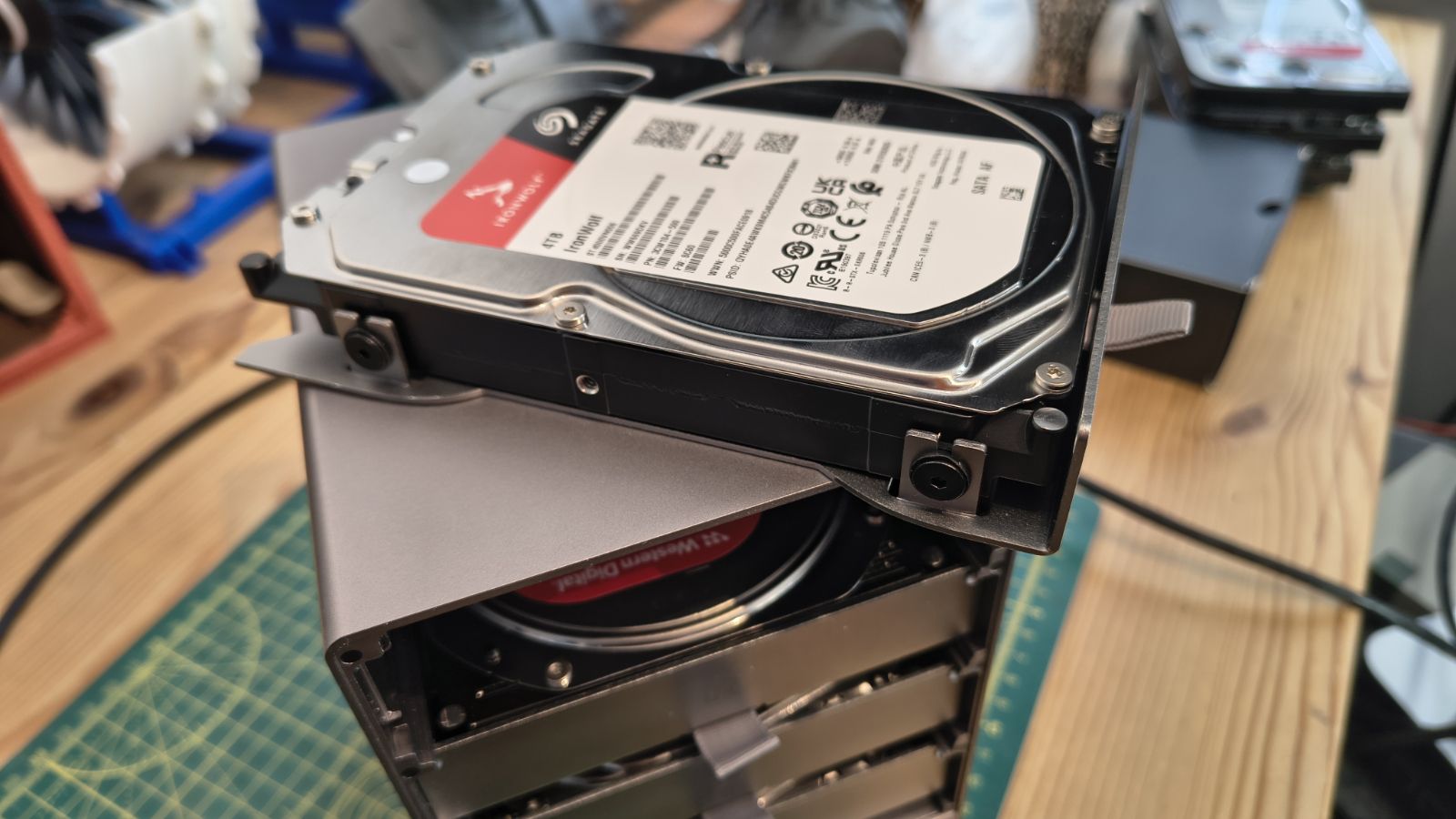
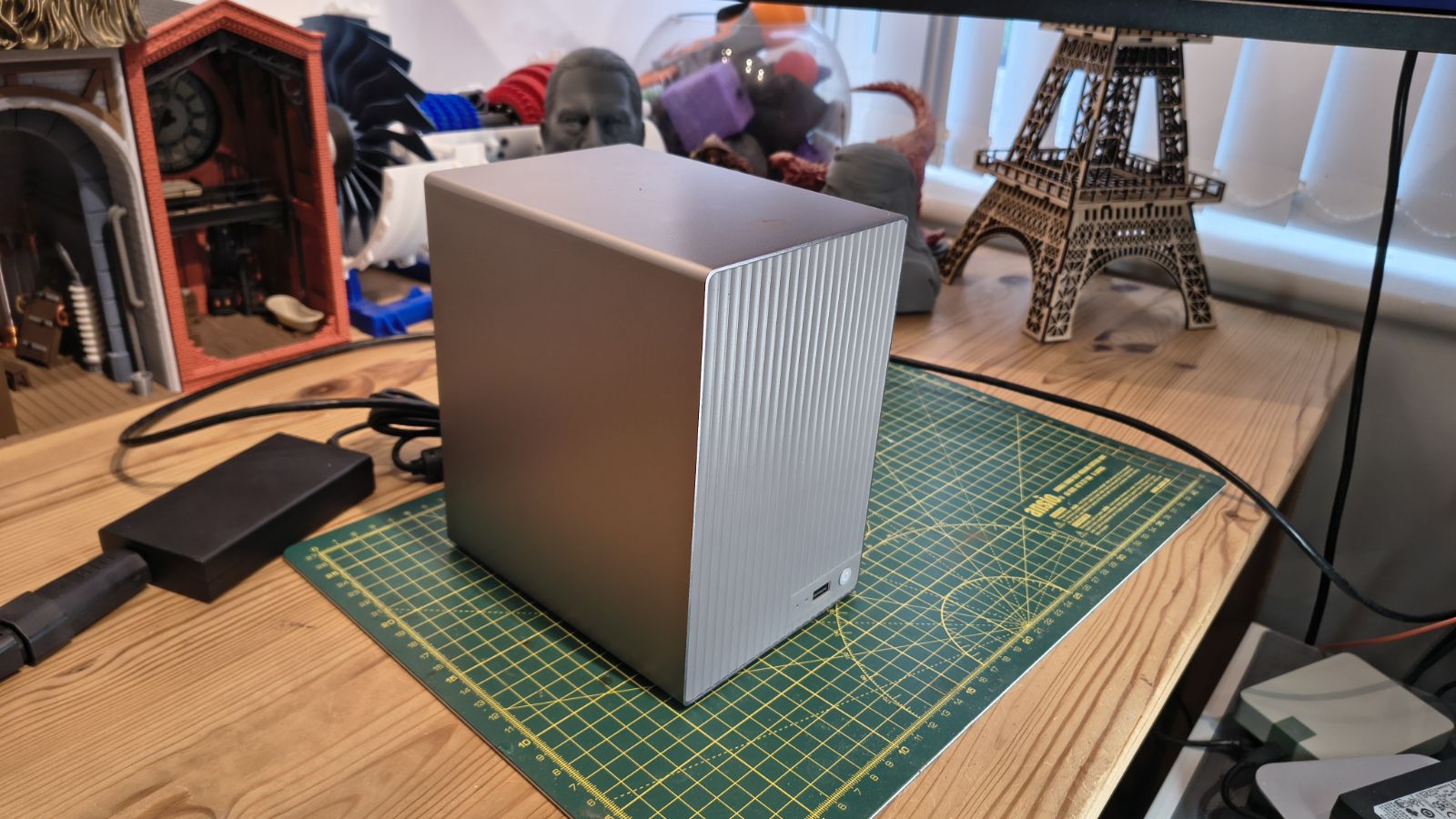
The four-bay enclosure is a compact all-metal unibody, measuring 165 x 121 x 185mm and weighing 2.4kg without drives. Beelink says it is 50 per cent smaller in volume than a conventional design, and compared to anything by Synology or QNAP, it’s certainly much smaller.
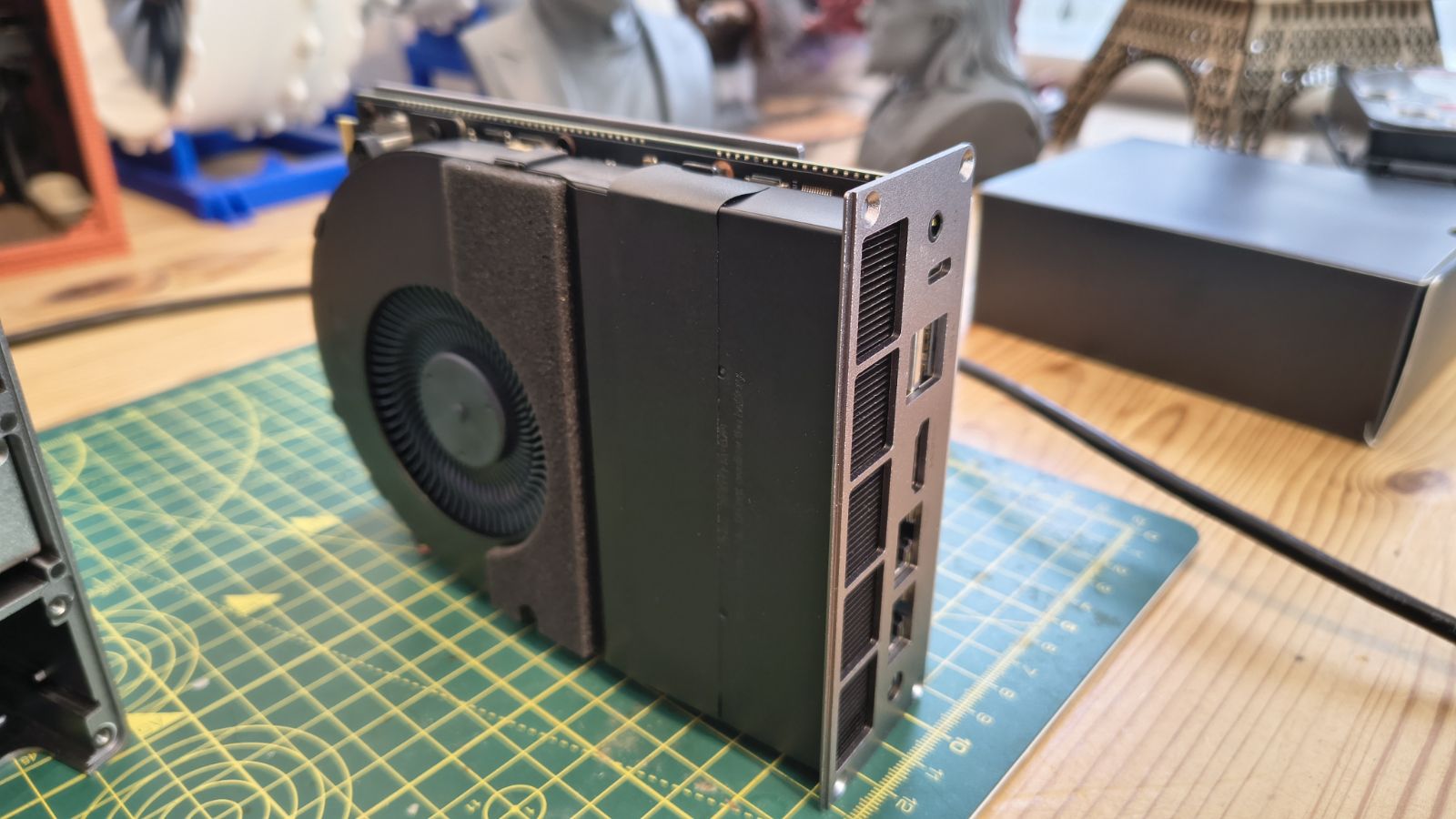
Inside, an internal blower on the motherboard module pulls cool air in and pushes it out to keep everything cool, and the milled aluminium construction also helps radiate heat. Silicone mounts sit either side of each drive and between the case and the motherboard tray, reducing vibration and noise
The review unit, with its Intel Core i5 13500H, has 12 cores, 16 threads and a 45W TDP. It comes with 32GB of DDR4, a 500GB system SSD and four M.2 slots. Beelink pitches it at creative professionals, and this is a great spec for those who need large amounts of fast storage for video editing or maintaining photo collections.
Earlier Beelink NAS used the FygoOS operating system, and it’s also in this NAS. It is flexible and well-featured, and it makes the ME Pro feel like a platform rather than an appliance. The evolution of this aspect is impressive, and FygoOS delivers many of the higher-end features that some NAS products lack.
However, there is one caveat. This is a Kickstarter launch product; therefore, a pledge is not a purchase, and delivery dates can slip. Buyers need to weigh that, but so far I’m impressed with this NAS on several critical levels. And if the Kickstarter goes well and this hardware ends up in the retail channel, it might be included in our best NAS devices.
(Image credit: Mark Pickavance)
Beelink ME Pro Creator Edition: Price and availability
How much does it cost? From$819
When is it out? On Kickstarter soon
Where can you get it? Only on Kickstarter initially
The ME Pro range is listed as coming soon on Kickstarter. Beelink is offering a Super Early Bird discount of 30 per cent. Prices are in US dollars, and drives are not included.
The 13500H four-bay costs $819 at Super Early Bird and $1,169 at list. All four-bay prices are below, Super Early Bird first, then list.
Beelink ME Pro Kickstarter pricing
Model
Super Early Bird
List price
J5005
$369
$529
N95
$489
$699
N150
$539
$769
Core 3 304
$769
$1,099
Core i5 13500H
$819
$1,169
Ryzen AI 7 H 350
$1,049
$1,499
Ryzen AI 9 HX 470
$1,379
$1,969
A $10 VIP deposit before launch unlocks a free four-bay upgrade. And if you back the two-bay tier machine, you will receive the four-bay model at the same price.
Given what some of these designs include in processing power and memory, these are mostly excellent deals. Specifically, $819 for the Creator NAS seems like exceptional value.
Value: 4.5 / 5
(Image credit: Mark Pickavance)
Beelink ME Pro Creator Edition: Specs
ME Pro Creator Edition Specifications
Item
Spec
CPU:
Intel Core i5 13500H (12 cores, 16 threads)
GPU:
Intel Iris Xe (80 EU)
RAM:
32GB DDR4 expandable to 96GB
System Storage:
512GB internal SSD
SATA Storage:
4x 2.5 or 3.5 inch drives (HDD or SSD)
M.2 Storage:
2x M.2 NVMe Gen4 x4, 2x M.2 NVMe Gen3 x2 (one used for OS)
RAID:
Basic, Linear, RAID 0, 1, 5, 6 and 10
Ports:
3x USB 3.2 Gen 2, 1x Thunderbolt 4, 1x 3.5mm Audio jack
Networking:
1x 10GbE LAN, 1x 2.5GbE
Outputs:
1x HDMI port, up to 4K resolution
OS:
FygoOS
Internal File Systems:
BTRFS, EXT4, ZFS
External File Systems:
EXT4, NTFS, FAT32, HFS+, ExFAT
Maximum Capacity:
4x 30TB HDD + 4x 4TB M.2 NVMe, plus external storage on USB or Thunderbolt
Max TDP:
45W
Dimensions:
165 x 121 x 185 (mm)
Beelink ME Pro Series overview
Model
Cores and threads
Max TDP
AI TOPS
Memory
M.2 slots
System drive
Max storage
Pentium Silver J5005
4C / 4T
10W
NO NPU
8GB DDR4
2
128GB SSD
128TB
Intel N95
4C / 4T
25W
NO NPU
12GB LPDDR5
3
128GB SSD
132TB
Intel N150
4C / 4T
25W
NO NPU
16GB LPDDR5
3
128GB SSD
132TB
Intel Core 3 304
5C / 5T
35W
24 TOPS
16GB DDR5
1
512GB UFS 3.1
124TB
Intel Core i5 13500H
12C / 16T
45W
NO NPU
32GB DDR4
4
500GB SSD
136TB
AMD Ryzen AI 7 H 350
8C / 16T
45W
50 TOPS
32GB DDR5
3
500GB SSD
132TB
AMD Ryzen AI 9 HX 470
12C / 24T
45W
86 TOPS
32GB DDR5
3
500GB SSD
132TB
Beelink ME Pro Creator Edition: Design
Drawer concept
Easy access to some upgrades
Lots of screws
The drawer-style design is a neat idea: it uses almost the same mechanism as the drives, but replicated on the motherboard, which slides out for maintenance and upgrades.
That should make a processor upgrade a far simpler job than in a normal NAS. Beelink has also hinted at AMD and ARM boards in the same chassis. If you own a four-bay, you could buy a different two-bay and swap the platforms, in theory.
The unibody metal case is milled from solid aluminium and makes for a small footprint for a four-bay NAS. It’s also quiet enough that this could sit on a desktop.
Cooling relies on one internal blower rather than a bank of case fans, and when the motherboard module is removed, the dual-sided design is clearly influenced by Beelink’s mini PC designs.
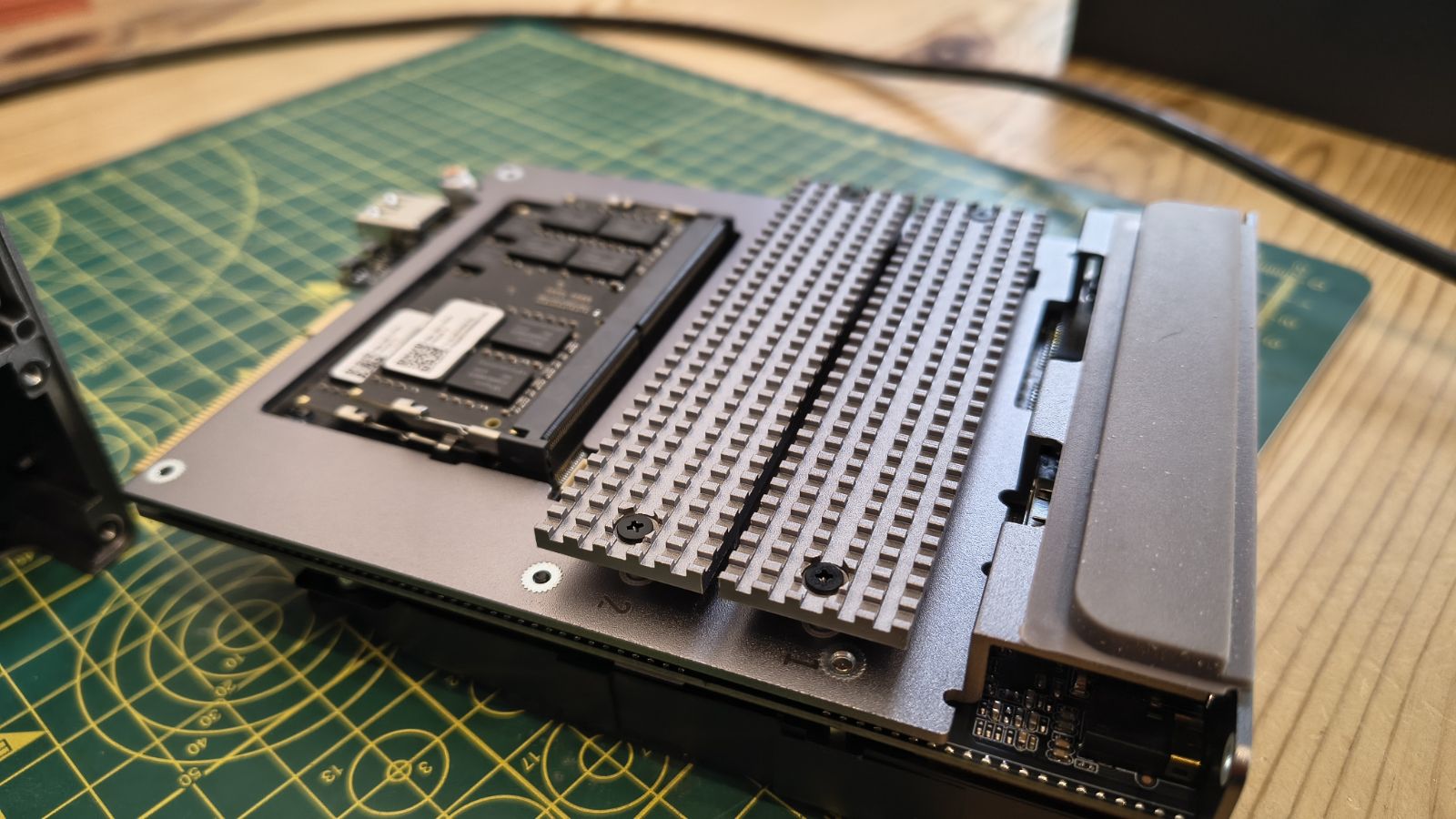
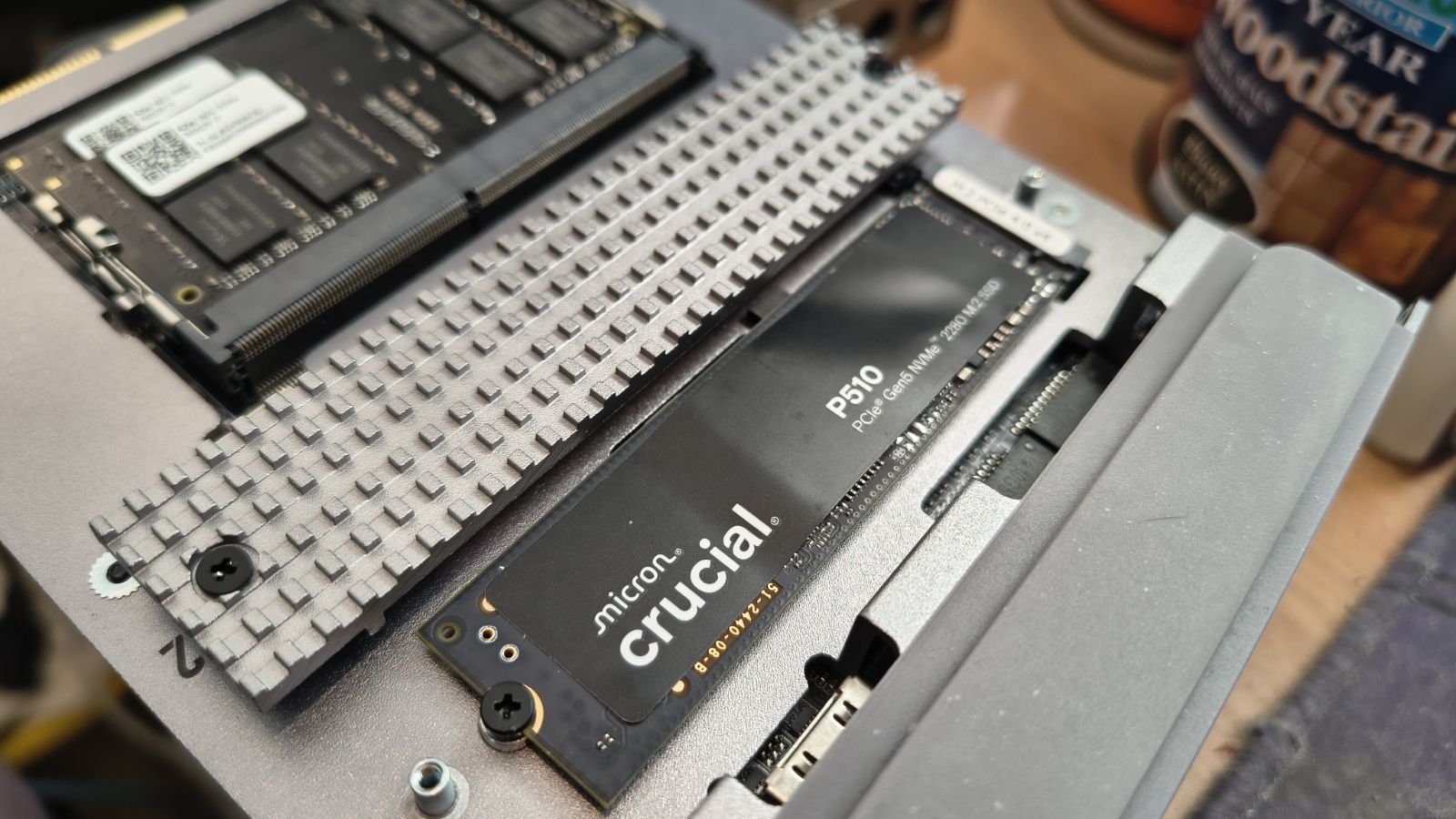
Access to the two M.2 2280 Gen4 slots is super-simple, and they come with their own chunky heatsinks to help remove heat with the help of the fan assembly. There are two other M.2 slots (Gen 3 x2), one of these being occupied by the FygoOS installation, but getting those requires removing the fan.
Since the unused third slot doesn’t run at the same speed as the two easily accessible ones, it probably wouldn’t be a good plan to try to make a RAID array of the three, but that slot might be useful for a caching SSD.
(Image credit: Mark Pickavance)
What I’m less impressed with is that the trays aren't tool-less for either 3.5- or 2.5-inch mechanisms. Each drive needs four screws, and once installed, two more hold it in place from the back of the tray.
The designers' issue here was that if they used a tool-less tray and a more elegant lock, then the NAS would be bigger, and the designers didn’t care for that. They also used four of these tiny screws to hold the motherboard tray in place, and these screws are easy to misplace.
One annoyance is that, to hold the thin steel air filter on the rear of the NAS, ten small magnets are glued into the chassis. They are placed within 4mm of where the screws hold the trays in, which inevitably means that when you go to screw them in, the magnets pull the screw off the screwdriver before you can thread it.
In short, the filter didn’t need that many magnets, and they didn’t need to be where the tray screws are.
The fine irony of all these screws is that the enclosure tolerances are so good that the screws holding the trays in and the motherboard are mostly pointless, certainly with the numbers used.
These points aside, the ME Pro is better built than most NAS enclosures, even if some compromises have been made to keep it so small.
Design: 4 / 5
Beelink ME Pro Creator Edition: Features
Intel Core 5 13500H CPU
Up to 96GB of memory
AI capabilities are limited
As a laptop processor, the Core 5 13500H was a strong platform sporting 12 cores total (4 Performance-cores with Hyper-Threading and 8 Efficient-cores) and 16 threads. As is the way with Intel 13th Gen technology, the performance-cores boost at a higher level, up to 4.7 GHz; and the efficient-cores boost at lower levels, up to 3.5 GHz.
All cores share an 18 MB Intel Smart Cache, and the chip has a base power TDP of 45W.
Some laptop designs using this chip scaled power up to 115W, but from what I understand, the ME Pro has more than enough performance at its base wattage.
The review hardware came with two 16GB DDR4-3200 modules providing 32GB, but if you can find them, this system could take dual 48GB modules for 96GB in total. It’s a shame Beelink didn’t use LPDDR5 for faster performance and lower power consumption, but the cost was probably prohibitive when these decisions were made.
The GPU is an Intel Iris Xe Graphics with 80 execution units running up to 1.45 GHz, and it shares memory with the rest of the platform.
(Image credit: Mark Pickavance)
The best aspect of this processor, aside from its high core count, is its PCIe lanes: 28 total. In this design, not all 28 lanes are created equal.
Eight primary lanes are Gen5, eight secondary lanes are Gen4, and all sixteen lanes are CPU-attached. The final twelve lanes route through the Platform Controller Hub (PCH) to handle slower or secondary peripherals (like Wi-Fi/Bluetooth, audio controllers, USB extensions, or secondary M.2 storage slots), and these are all Gen3.
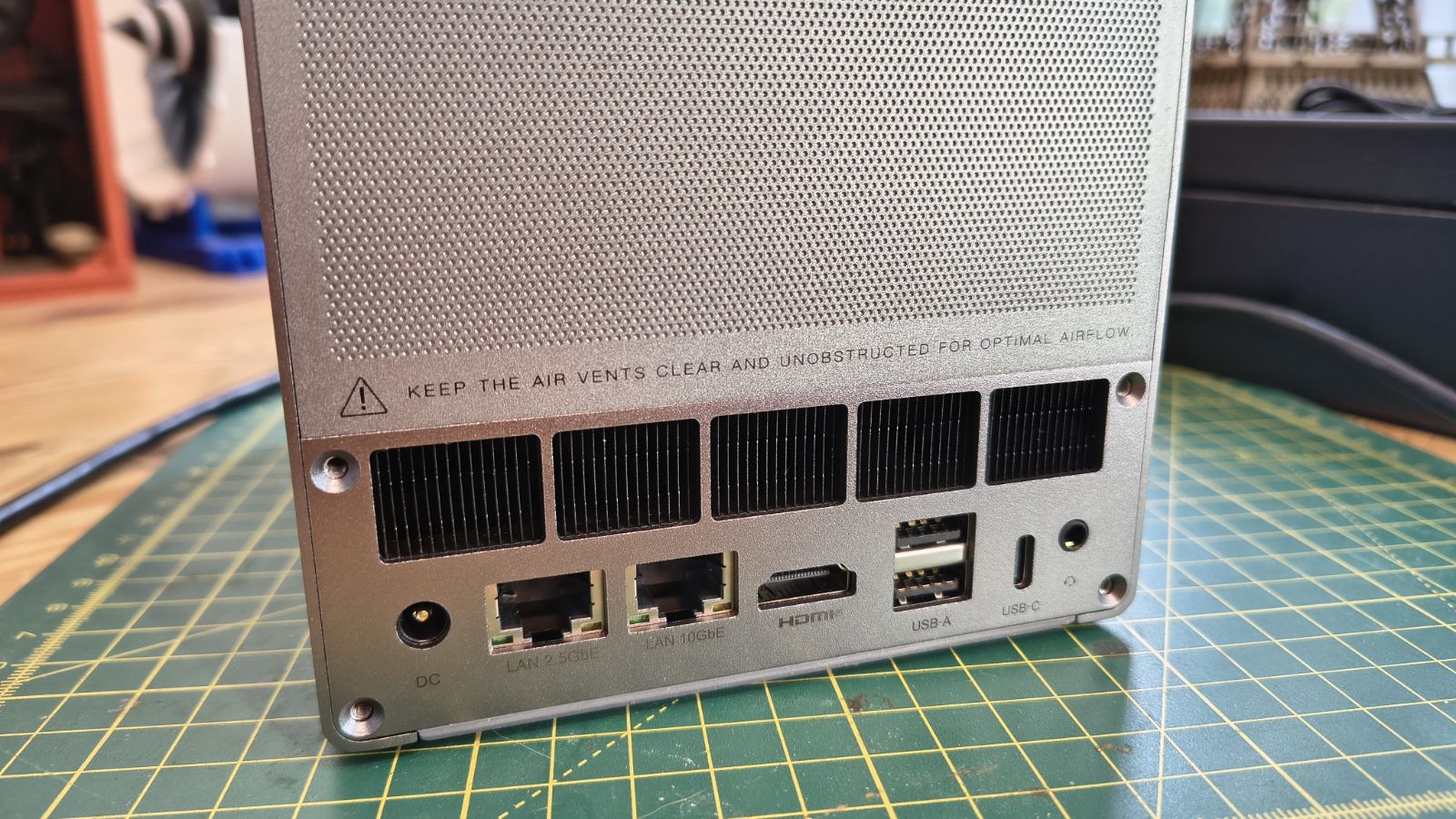
That’s a terrific amount of bandwidth, and it enables dual M.2 Gen 4 x4, two more M.2 Gen3, a 10GbE LAN port and a 2.5GbE LAN port, a Thunderbolt 4 port, and three USB 3.2 Gen2 ports. That’s plenty for most people, as you can use the Thunderbolt port as a 40Gbps network connection if needed.
Overall, the architecture choices in this NAS are right for demanding workloads like video editing, photo manipulation, and software development, thanks to its hybrid core layout.
However, only the Ryzen AI models are sold specifically for local language models. The 13500H review unit is not one of them, and Beelink lists no AI performance figure for it. The AI 470 is quoted at up to 86 TOPS, with that number assembled from an NPU with 55 TOPS and a CPU and GPU combined for 32 TOPS.
Therefore, if you intend to run AI models on the NAS, one of the AMD machines would be preferable to this system.
(Image credit: Mark Pickavance)
Features: 4 / 5
Beelink ME Pro Creator Edition: Software
FygoOS
Docker and virtual machines
Ollama options
(Image credit: Mark Pickavance)
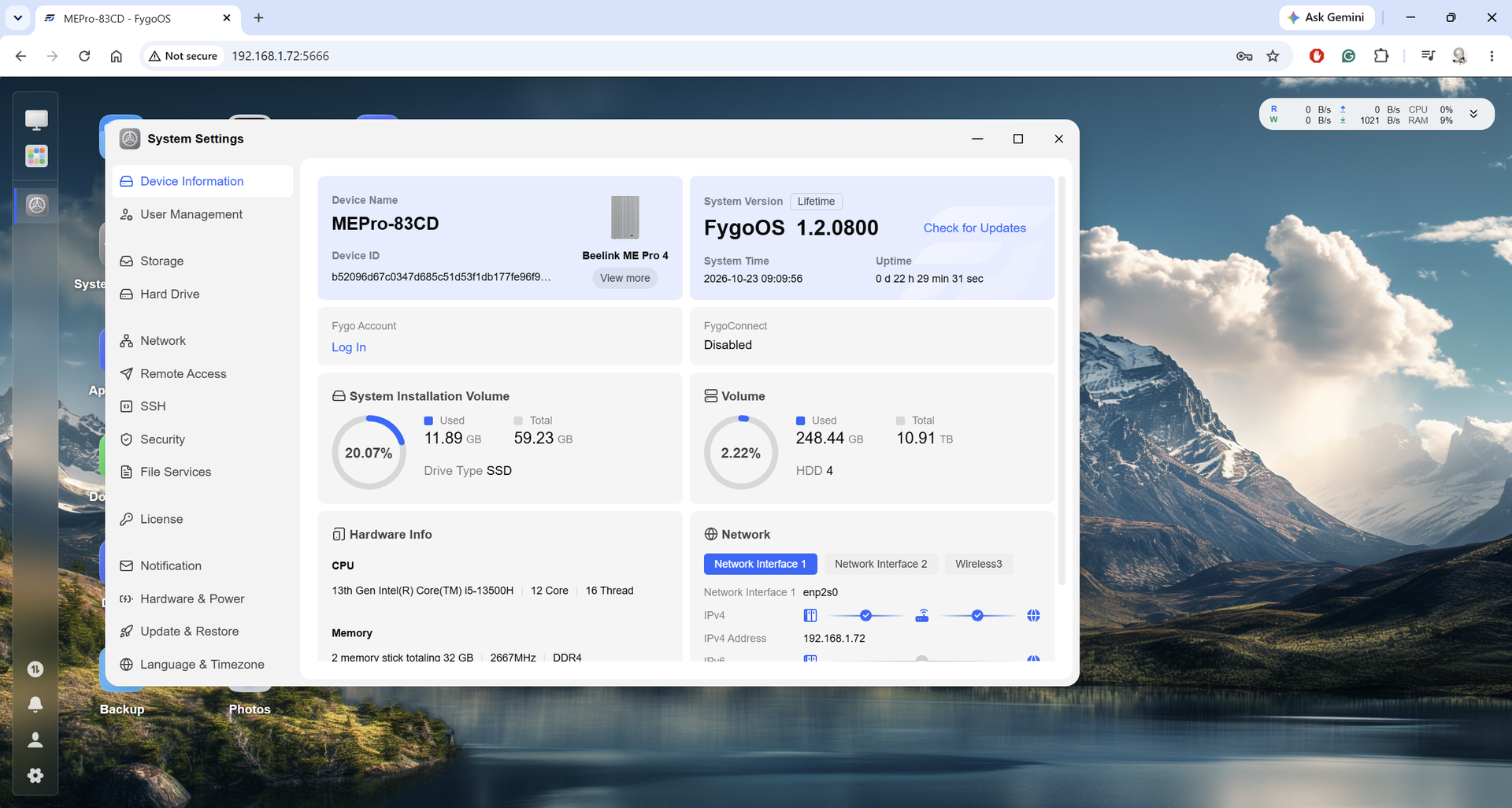
FygoOS is the international face of a Chinese NAS solution that has surfaced in the past year. Its parent is fnOS, also called Feiniu Private Cloud. I believe a small team of NAS enthusiasts built it around Debian Linux, and it is closed source. During its public beta, it was offered as a free option for Chinese home users.
Reviews for this platform only began in early July 2026. Early adopters found a new NAS OS in version 1.2 and the FygoTV app in 0.9. The name hints at open source, but it is a proprietary system built partly on open source parts, with GPL source releases still in progress. It runs on x86 and ARM hardware and offers ZFS, Btrfs and ext4 storage. The changelog shows active development.
During my time with the ME Pro 4, it had several releases; I used version 1.2.0800, and FygoTV was 0.9.7-3.
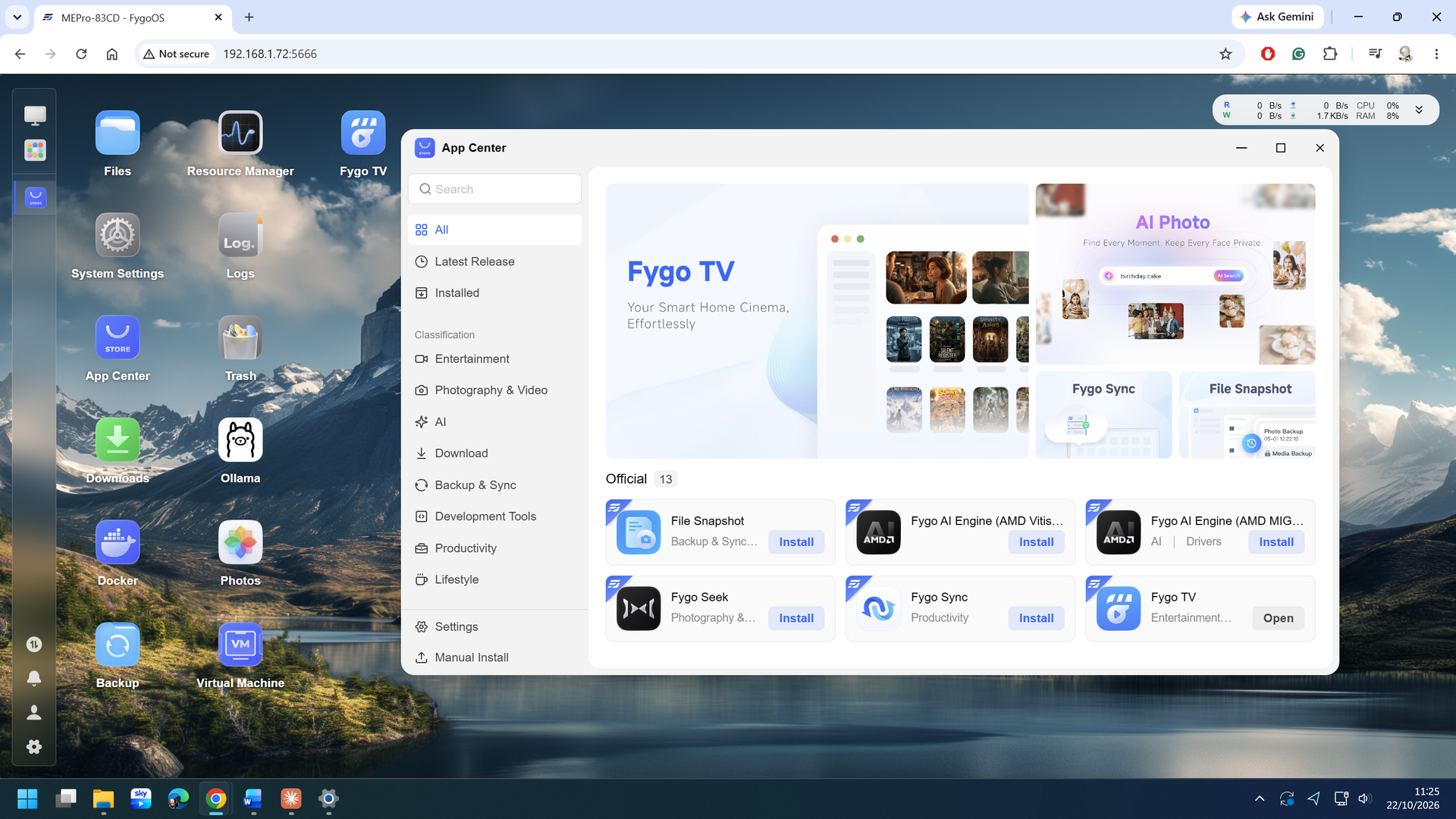
FygoOS is the beating heart of the ME Pro, and it aims at beginners while leaving room for experts. Beelink says apps install with one click and update the same way. It lists official and community apps for media, backup, productivity and virtualisation.
For what appears to be a relatively new NAS OS, this all seems much more advanced than I’d normally expect, both in application selection and feature set.
As far as I’m aware, FygoOS is the only other hardware-included NAS OS with ZFS file system support other than QNAP QuTS hero. You can get this feature via Unraid, TrueNAS or OpenMediaVault, among other places, but you would be installing them onto this hardware to replace FygoOS.
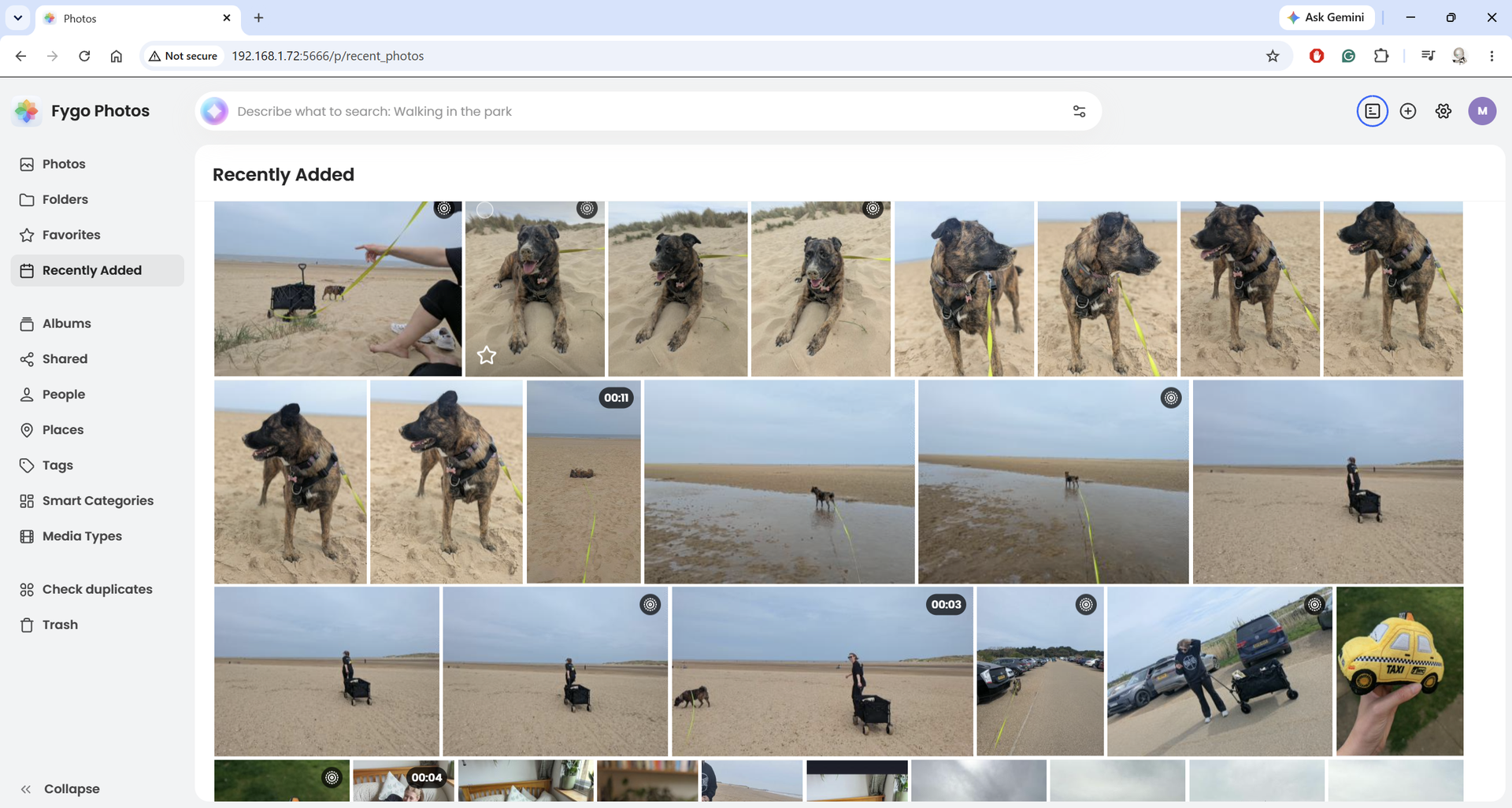
Included in the selection of apps is a powerful photo and media search tool. It can use AI to rapidly find images using facial recognition and smart categorisation. The private cinema feature matches metadata automatically, and Beelink claims up to 99 per cent accuracy in identifying the content. It also syncs playback between devices and supports real-time hardware transcoding.
However, I was disappointed that, as nice as some of these tools are, Beelink missed a few tricks. One is the HDMI port, which is promoted as supporting up to 4K output. That might be true, but it can’t be driven by the Fygo TV app to play files directly onto a TV. That’s something you can do with a Ugreen or Asustor NAS, but not this.
But there are a few things it can do that are more exclusive. One of the more surprising features of this platform is the collaborative media workspace.
Teams can preview video, photos, audio, documents, fonts and 3D files without downloading them. AI search finds content by meaning, not just file names. You can send a review link, and reviewers add comments, annotations and timestamped notes. Sharing supports access controls, expiry dates, watermarks and branding.
(Image credit: Mark Pickavance)
The only caveat is that the features are tiered, with the best ones requiring a subscription.
The personal tier is included in all ME Pro. The business tier comes with a 30-day free trial on the J5005, N95, N150 and 304 models. The 13500H and both Ryzen AI models get six months free. But, and this is a concern, Beelink has not said what the business tier costs afterwards. I’d hate to use this for six months, find it incredibly useful and then discover that the monthly cost is too high to make it practical.
Being an Intel-based platform, and not ARM, this NAS supports virtualisation and with 32GB of RAM it is relatively easy to have several VT instances running. And, it has Docker, expanding the amount of software that can run on this platform dramatically.
It was interesting to note that while the hardware used here, specifically the Core i5 13500H, doesn’t have an NPU, it is a reasonably powerful processor and it has Iris Xe graphics, which can be used to process AI LLMs.
The standard application set includes Ollama, and I was able to install it and use it to run a local model like Gemma. While it wasn’t the fastest response, it did work quite well, so using this machine for AI isn’t impossible.
Obviously, if you want to use the NAS as an AI assistant, the two models with AMD Ryzen AI processors are a better choice, but even without a dedicated NPU, this hardware can run some AI and support interactive chats without relying on the Cloud.
(Image credit: Mark Pickavance)
Software: 4 / 5
(Image credit: Mark Pickavance)
Beelink ME Pro Creator Edition: Performance
Overkill for file serving
10GbE and 2.5GbE
Lacks channel bonding
When I started testing this NAS, I soon realised the platform was largely twiddling its thumbs during large file transfers. Using the 2.5GbE LAN port, no SSD cache and four 4TB drives in a RAID 5 pack, the CPU barely hit 9% usage. And that was shipping a file from my desktop PC at around 290MB/s.
Using the 10GbE port increased transfer speeds to nearly 700MB/s, but only added a few percentage points of CPU overhead. With an SSD, this machine can get closer to 1000MB/s, either directly or by allocating the SSD for reading and writing cache.
Four 3.5-inch drives don’t have enough performance to fully saturate the 10GbE link without cache support, so adding an SSD is more of a necessity if you're involved in file serving.
Gen4 x4 M.2 slots are great for internal SSD performance, but there aren’t many practical ways to use that bandwidth from the outside other than the Thunderbolt 4 port.
But unfortunately, the Thunderbolt port on this NAS doesn’t yet support Host mode, even though it is listed as a feature that’s ‘under development’ on the official FygoOS roadmap.
Also, while the networking functions enable Multi-gateway mode, where the LAN ports route according to the shortest path to the target system, there is currently no link aggregation/channel bonding. I don’t think channel bonding a 10GbE and a 2.5GbE line together is a good idea anyway, but FygoOS currently doesn’t have the necessary interfaces for this.
Because FygoOS is built on a Linux base, users looking to combine multiple network interfaces typically have to configure network bonding manually via SSH or underlying Linux networking tools rather than a native settings panel.
On a more positive note, I used a cheap Ugreen USB-A to 2.5GbE LAN port (CM648), and that worked perfectly for what is an incredibly inexpensive option. I know that Ugreen makes a 5GbE version of this adapter, and I suspect that would also be useful in this context.
Ideally, this system would have dual 10GbE and SMB multi-channel mode, but in most other respects, this NAS is overpowered for most roles.
Performance: 4 / 5
Beelink ME Pro Creator Edition: Final verdict
Buy it if you want a compact NAS that you can upgrade later and you like the idea of a modern, flexible OS. Beelink pitches the 13500H model to creative professionals, and it has the core count to back it up.
That said, the four-bay market is crowded. Alternatives include the Ugreen NASync DXP4800 Plus and Pro, the Synology DS925+ and the UniFi UNAS Pro 4. Breaking down the ups and downs of each design would take another article, but to cover the basics, none of them matches the ME Pro 4-Bay Creator Edition.
The Ugreen NAS units are cheaper, use DDR5 and include special features like SMB Multichannel and HDMI video playback, which makes them useful.
Synology’s DS925+ uses a much weaker AMD Ryzen V1500B quad-core CPU, only has dual 2.5GbE LAN ports, comes with 4GB of RAM expandable to 32GB, and has two M.2 slots that can only use Synology-branded storage. That machine supports ECC memory, but that and the DSM OS are the only real positives.
The UniFi UNAS Pro 4 is meant for racks, not shelves, and is an ARM SoC system that supports four HDDs, two M.2 NVMe SSDs, and 2x 10Gb SFP+ LAN ports.
It’s cheap, around $600, but the 8GB memory can’t be upgraded, and the ARM architecture doesn’t support Virtual Machines.
What I haven't considered are the Asustor Lockerstor 4 models, QNAP, and TerraMaster options, to name a few. But to generalise, most 4-bay NAS don’t compete on processing power, memory capacity, and build quality.
The fly in this ointment is that until this product exits the Kickstarter campaign and people have them longer term, will they be able to establish a reputation, good or bad.
I haven't had any issues with the machine Beelink sent, and with a few more updates to FygoOS, it could become a useful NAS to own.
But for those who have had bad Kickstarter experiences, wait if you need proven reliability. This is a new product on a crowdfunding platform, and the modular upgrade path is so far a promise. But as a first-generation device, the Beelink ME Pro Creator Edition is certainly heading in the right direction.
Should you buy a Beelink ME Pro Creator Edition?
Value
The Kickstarter deals are excellent for NAS of this spec
4 / 5
Design
Innovative drawer design that allows for system swaps
4/ 5
Features
Powerful Intel CPU, up to 96GB of DDR4, Thunderbolt and three M.2 slots
4 / 5
Software
FygoOS is more sophisticated than expected
4 / 5
Performance
Two drives limits throughput without SSDs
4 / 5
Overall
A tiny powerful NAS that’s ideal for creatives, but it lacks the silicon for AI use
4 / 5
Buy it if...
You have a 10GbE network With one 10GbE LAN and the 2.5GbE Port as a failover backup, you can distribute 1000MB/s of data over a network easily. And, using the USB or Thunderbolt port, you can get even more network bandwidth.
You need lots of RAM for VT Being able to scale to 96GB of memory enables this NAS to handle jobs that would overrun other devices. It’s also DDR4, which might be cheaper to find than DDR5 at this time.
Don't buy it if...
You need AI LLMs While this machine can run an LLM, the lack of an NPU in the processor holds it back, and you can’t add a powerful GPU, as it doesn’t have OCuLink. If you want AI on a NAS, other machines in this range are better suited.
You want Thunderbolt Host Mode With this system having a Thunderbolt port, I was hoping it would have host mode, enabling a suitable laptop to link directly to the NAS with a 40Gbps link. However, that feature is still to be added to FygoOS, and until it is, that remains a pipe dream.
How long has it been since you used a paper diary? 10 years, 15, maybe even 20. Can you remember the year it was or the brand of diary? Was it when you were in school, and you had to write down your homework? Long gone for me. Or was it your first job, and you used a Filofax to keep track of your meetings and action points? Or maybe you still use one to keep a note of everyone’s birthdays.
For me, there’s something strangely nostalgic and surprisingly grounding about flicking through a paper planner. I remember buying a new one each year, around Christmastime or January, if I’d completely failed at staying organized. Being able to discard an older diary and embrace a fresh one felt like a new start, a moment to turn my back on the difficulties of the previous year and embrace the opportunities ahead.
But it’s no surprise that digital diaries and online planning tools have made paper alternatives all but obsolete. Digital apps are available 24/7 on any device and have more features than you can shake a stick at. I think that’s a little bit of a shame, but one app trying to bring together paper and digital planning is Ultimate Planner.
Homescreen heroes
This is part of a regular series of articles exploring the apps that we couldn't live without. Read them all here.
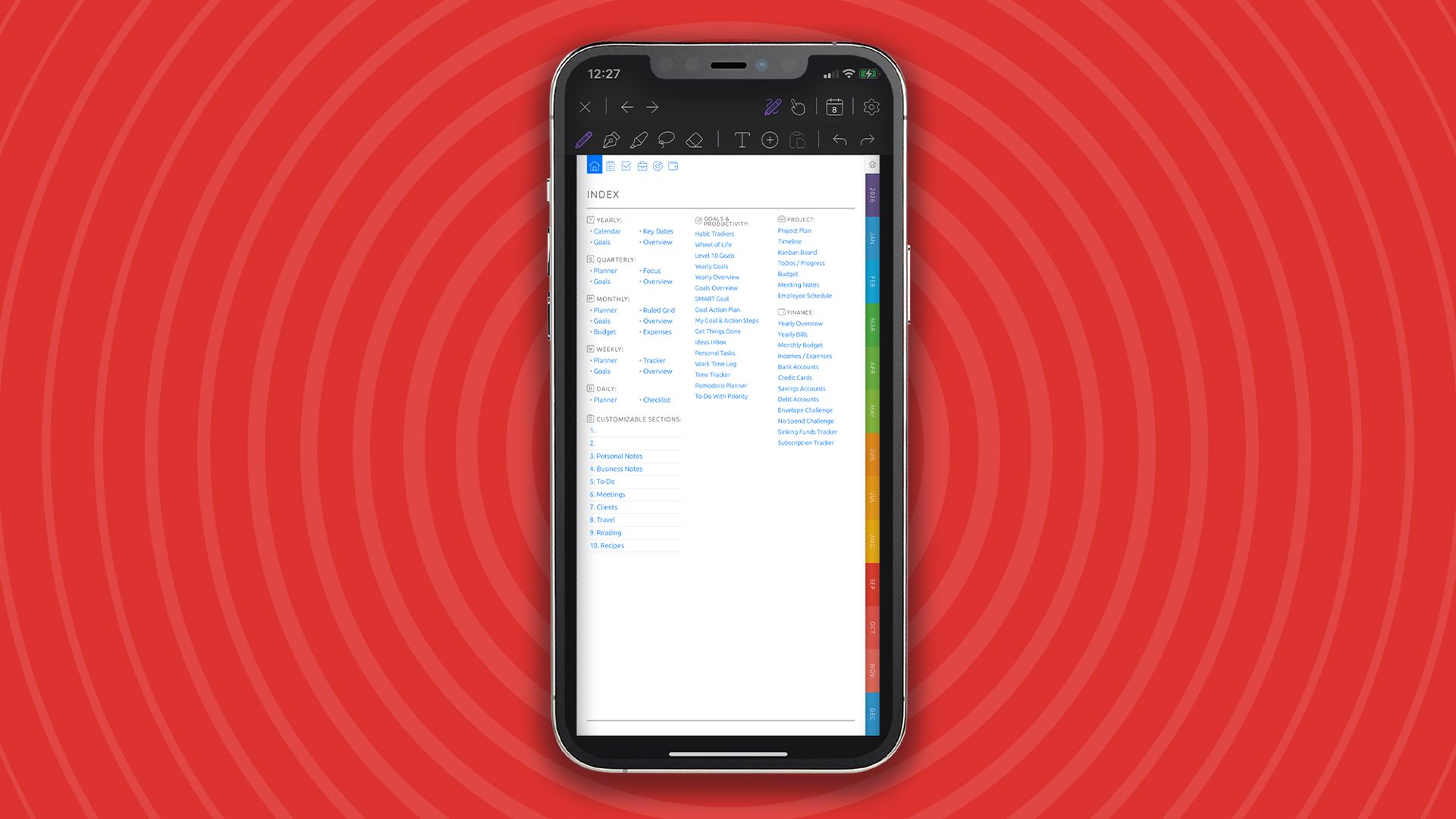
Okay, Ultimate Planner is still a digital tool (sorry), but it replicates the paper diary experience in ways that I’ve never seen before. With paper diary-inspired layouts, Filofax-esque tabs, and stylus compatibility, it’s as close to a paper diary as you’re ever going to get without actually going to the shops and buying one.
(Image credit: Future / Paul Hatton)
The complete planning package
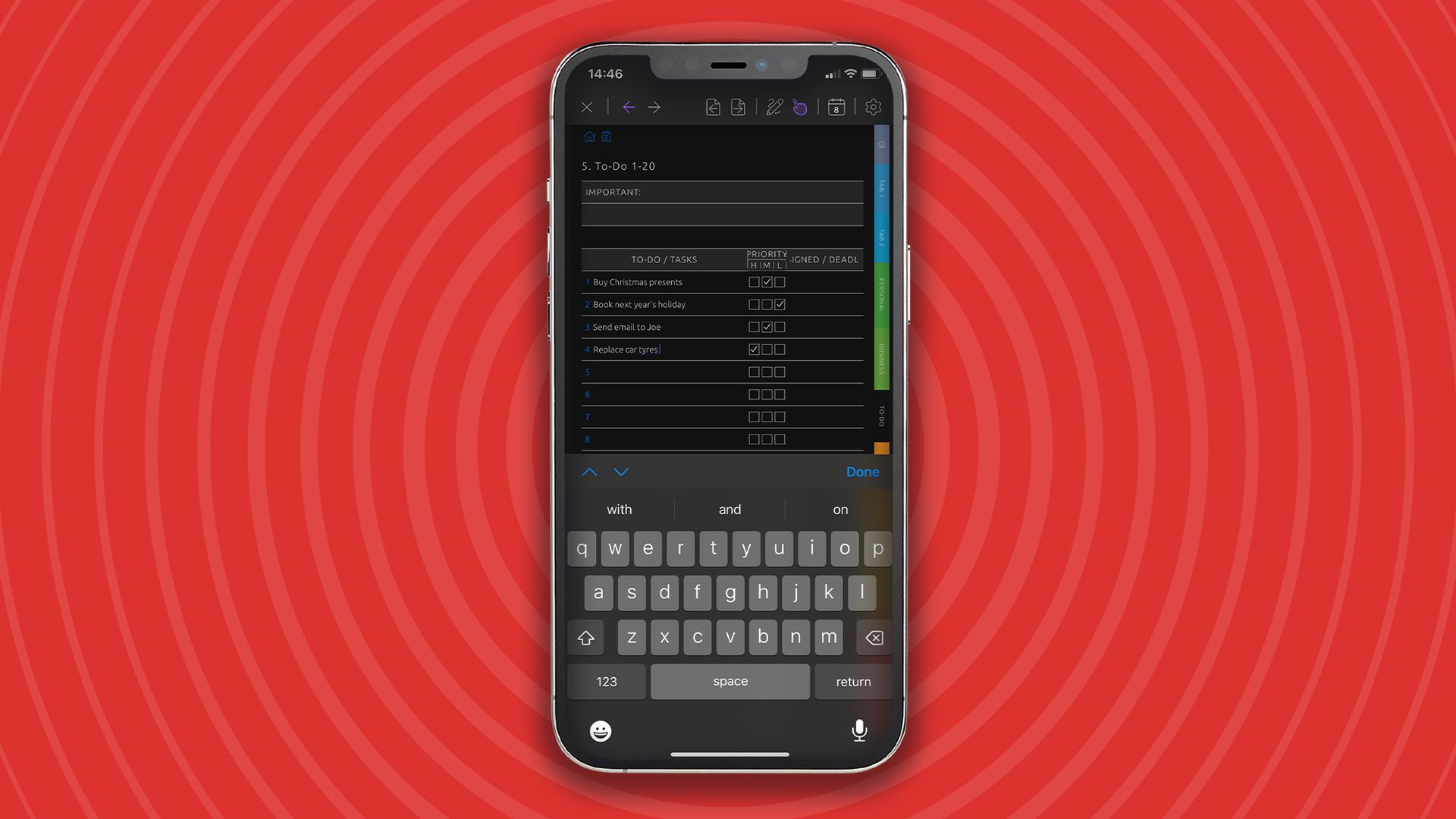
Ultimate Planner, according to its creators, is “the most customizable digital planner app" available. And after just five minutes of use, you’ll probably be inclined to agree. With it, you can plan your day, organize tasks and actions, manage goals, and even track habits.
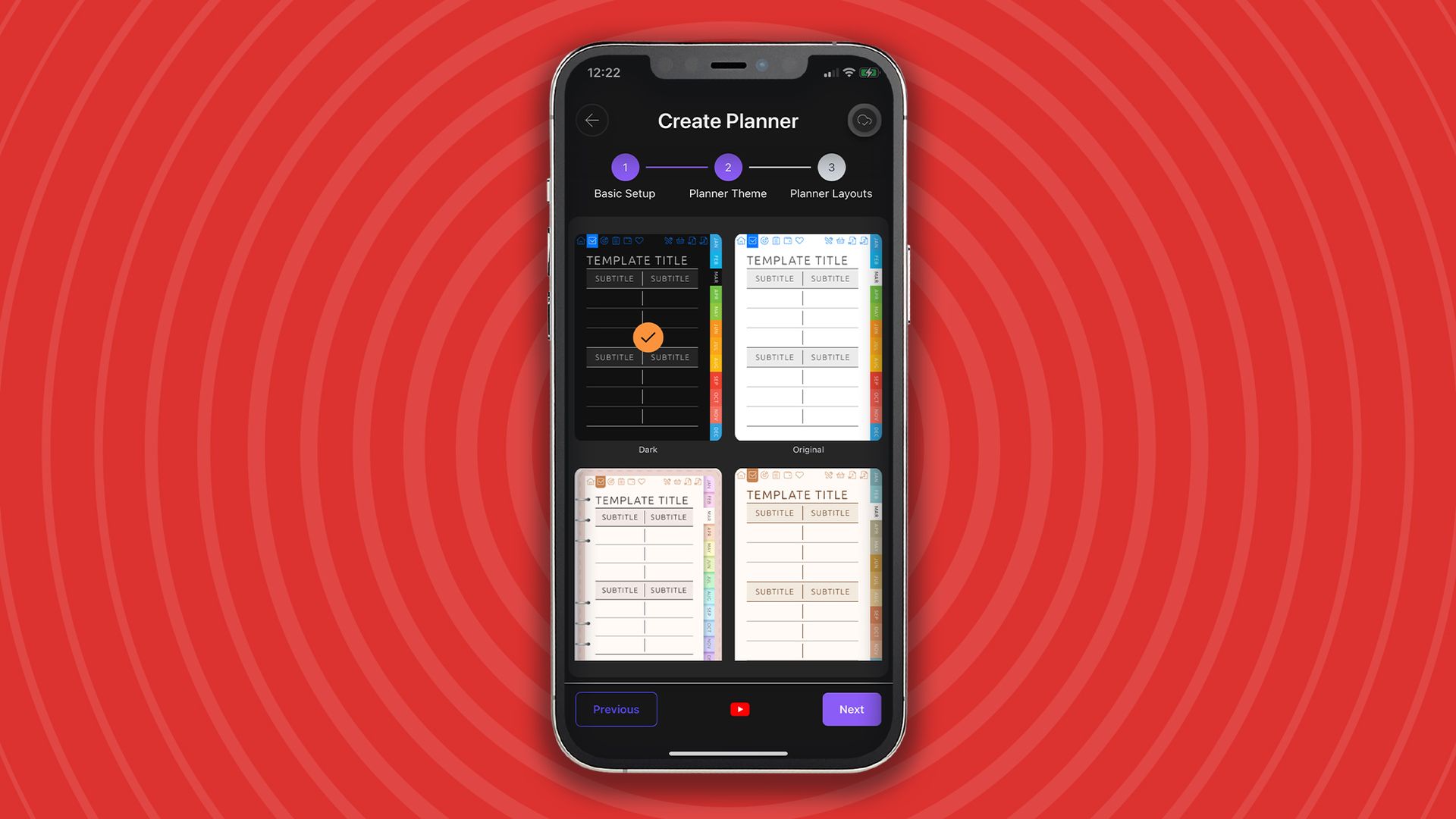
The journey begins by picking a planner type. Your choice customizes the features, tabs, and tools you access. If you choose ‘Ultimate Planner,' as I did, then you’ll be able to use everything the app has to offer without restriction. Just a word of warning: things can get pretty complex and overwhelming if you choose to show every single feature.
(Image credit: Future / Paul Hatton)
If you have a specific type of planner in mind related to teaching, gratitude, or business, for example, then you can choose one of those instead. Just note that these additional options require a Pro account, which costs $39.99 / £39.99 per year or a $69.99 / £69.99 one-off charge for lifetime access. Unfortunately, there’s no free trial, although you can access the core features with a free account.
Unlimited customization is a core part of the app’s raison d'être. Being able to customize layouts with bespoke sections means you can create a planner that matches your specific workflow. You can even choose from numerous templates to get an aesthetic that feels personal and inspiring. The reality is that with all the feature permutations, Ultimate Planner is far from a one-size-fits-all app.
Unlimited Planner also just keeps going. When one year is done, another year seamlessly rolls around. That means you have access to unlimited pages, notebooks, and planning layouts. With the Pro version, there’s no limit on the number of planners you can create, so why not use it for both work and personal reasons? That’ll certainly make the very most of the subscription cost.
(Image credit: Future / Paul Hatton)
One place for everything
The Ultimate Planner might look, for all intents and purposes, like a paper planner, but it’s also able to sync seamlessly with one or more of your digital calendars. This is an ideal solution for tracking events and managing tasks right alongside all your other planning notes and tables. Within each synced calendar account, you can choose which specific calendars you wish to display. This is ideal for work accounts, which might contain multiple people’s calendars.
You can also rest assured that your data will be perfectly synced across a range of platforms and devices, including iPad, iPhone, Android, and web. I’ve loved being able to access the planner on my phone on the go and then pick up where I left off when I’m sat at my desk. Having everything in one place, connected to all my devices, keeps me on track and organized.
Philips helped Taiwan begin its decades-long technology transformation
Li Kwoh-ting pursued foreign expertise to build Taiwan's domestic electronics industry
TSMC manufactures advanced chips, while ASML builds equipment used in production
Nvidia CEO Jensen Huang has recently discussed how Taiwan’s semiconductor leadership emerged through decades of industrial partnerships, government planning and manufacturing expertise.
During a recent conversation with Lex Fridman, Huang discussed how European technology relationships helped establish capabilities that later supported Taiwan’s electronics industry.
The island now manufactures more than 90% of the world’s most advanced semiconductors, giving its relatively small territory enormous importance to global technology supply chains.
The story dates back to the 1950s, when Taiwanese economic planner Li Kwoh-ting pursued foreign partnerships to develop domestic manufacturing technology.
His efforts included attracting Dutch electronics manufacturer Philips, whose involvement helped introduce industrial knowledge and production capabilities into Taiwan’s developing electronics sector.
Philips subsequently became part of the historical background behind companies that helped shape semiconductor manufacturing and equipment development.
Taiwan Semiconductor Manufacturing Company (TSMC) eventually became central to advanced chip production, while Dutch equipment supplier ASML emerged as a leading manufacturer of lithography systems.
These businesses occupy different positions within semiconductor supply chains, with TSMC fabricating integrated circuits and ASML supplying machinery used during chip production.
Their historical connections to Philips help explain how international industrial relationships contributed to Taiwan’s technological development.
However, their subsequent success involved different corporate histories, investments and technological advances rather than one partnership determining the industry’s eventual direction.
Taiwan’s manufacturing capabilities developed through sustained industrial expansion, foreign relationships and growing demand for increasingly sophisticated electronic components.
Computer manufacturing created another opportunity for Taiwan
Taiwan’s electronics industry continued expanding as international demand for personal computers created new opportunities for component suppliers.
IBM helped accelerate this development when it published specifications for its personal computer architecture, enabling other manufacturers to build compatible machines and supporting components.
Taiwanese businesses capitalised on the growing market by designing chipsets and supplying computer components to manufacturers.
TSMC and United Microelectronics Corporation (UMC) subsequently became important semiconductor manufacturers, although their expansion involved distinct strategies and developments across the industry.
The growth of compatible personal computers also created opportunities for motherboard suppliers serving companies assembling and selling complete systems.
Michael Dell, who founded his computer business during this period, initially built machines using commercially available components, including parts sourced through international supply chains.
Taiwanese suppliers formed part of that developing network, although Dell’s eventual success also depended on his direct sales approach and business operations.
IBM’s influence therefore represents a separate stage in Taiwan’s industrial development, rather than a direct consequence of Philips’ earlier involvement.
Huang’s account connects foreign investment, manufacturing expertise and changing market opportunities to explain Taiwan’s rise within the semiconductor industry.
Its current leadership, however, rests on decades of further investment, engineering advances and specialised production capabilities.
The island’s concentration of advanced chip manufacturing has become particularly significant as AI increases demand for sophisticated processors.
Governments and technology companies are consequently seeking reliable supplies, while Taiwan’s manufacturing expertise remains difficult to reproduce quickly elsewhere.
There are few studios I respect more in the gaming world than Double Fine. Founded by industry legend Tim Schafer way back in July 2000, the mastermind behind adventure game classics like Grim Fandango and Full Throttle has spent the past 26 years making a range of games that have you doing everything from jumping into people’s brains to becoming a rock legend to using Russian dolls to solve puzzles.
Every single thing this developer creates is so unique, and none more so than Psychonauts 2.
From the Backlog
Every gamer has a backlog — and that’s no different for us at TechRadar Gaming. From the Backlog is a series about overdue first plays, revisiting classics, returning to online experiences, or rediscovering and appreciating established favorites in new ways. Read the full series here.
And I love this delightfully unorthodox platformer not just because of its excellent characters and imaginative level design, but also because of the hard journey it went on to see the light of day after six long years of development. Now I consider most video games a miracle, but not all video games have a 23+ hour documentary showing exactly how they were made and all the things people sacrificed to make them so special.
You owe it to yourself to watch it, more so now that Double Fine has parted ways with Microsoft and is yet again stepping into the world as an independent studio with so much left to give. Enough about that for now, though; let us touch on everything that makes Psychonauts 2 such a masterpiece now that I’ve hit the credits for the first time.
Insane in the membrane
(Image credit: Xbox Game Studios/Double Fine)
The concept of being able to read the minds of those around you and even jump into their brains to root around sounds thrilling at first, but I bet it doesn’t take long before you stumble across mountains of trauma and terrible opinions.
But what if you could change people by delving deep into their subconscious and pulling on a few strings? That’s exactly what our hero Razputin "Raz" Aquato must do as a newly minted member of the Psychonauts, who also happens to come from a family of eccentric circus performers who are horrendously allergic to water. That explains the gaudy green skin and penchant for 3D platforming.
Psychonauts 2 starts incredibly strong as you’re yeeted into the head of a paranoid dentist harbouring the location of a long-lost psychic supervillain. If you’re afraid of rotting teeth or the idea of someone rooting around in your chompers with sharp objects, this level totally isn’t for you, but goodness me, is it gorgeous.
I’m filled with a feeling of proud disgust as I grasp onto a zipper of teeth using my telekinesis, only to pull it down to reveal a new area, while bouncing across a squishy yet jagged mixture of gums and teeth resembles a video game equivalent of a SpongeBob SquarePants close-up gag.
(Image credit: Double Fine)
It’s gross, needlessly detailed, yet instantly endearing. Thankfully, the remaining levels in Psychonauts 2 are equally as impressive but don’t make you want to lose your lunch. I’ll never forget helping a brain in a jar regain his physical form by reuniting his senses, who almost happen to play in a rock band pulled straight from the psychedelic 1960s, or the Casino Hospital, where sentient syringes are rolling the dice to try and have a baby.
Every level is a platforming masterclass that begins with a central premise before using that foundation to offer up stellar obstacles and puzzles which are always challenging enough to feel rewarding. During my first playthrough, I became obsessed with collectibles, leaving the beaten path behind in favour of hard-to-reach areas or consistently backtracking to make sure nothing was left behind. That’s the sign of a great platformer — each level is an utter joy to traverse the first time round before evolving into a familiar playground awash with secrets.
What color is the sky in your world?
(Image credit: Xbox Game Studios)
Beyond how good Psychonauts 2 can feel to play, it’s the writing and characters that occupy this platformer that help it rise to another echelon of greatness. Raz may be a psychic hero, but he’s also a naive little kid with so much left to learn about the world, which makes having to constantly fix the mistakes made by adults around him a smidge awkward.
Throughout its seven-year tenure with Xbox, Double Fine never managed to release another game of this magnitude as it opted for smaller, more experimental titles like Kiln and Keeper. But I’ve no doubt that Schafer is currently hard at work on a new project as creative director or project lead, whether this ends up being a new IP or a sequel to something fans love.
It’s the sort of experience it will need to produce in order to succeed as an independent studio in today’s climate, where even a single failed project can usher in a studio’s sudden demise. Its enduring history and legions of hardcore fans sadly don’t make it immune to this fate.
Platformers of this depth and caliber are hard to come by these days
I’m not saying I want Psychonauts 3 — although that would be lovely — but the medium would be far darker if Double Fine stopped creating games like the idiosyncratic platformer.
It offers so much heart, so much purpose, and showcases what video games are capable of outside of chasing trends and retreading nostalgic old ground. We simply don’t have nearly enough experiences like it in the modern era, so hopefully Double Fine’s current Amnesia Fortnight campaign will produce something just as spectacular.
Platformers of this depth and caliber are hard to come by these days unless you’re being made by Nintendo, so if you’re after an emotionally satisfying adventure that will stay with you for years to come, I can’t recommend Psychonauts 2 enough. Oh, and be sure to give the documentary a watch as well. If we make enough noise, maybe we’ll be crowdfunding the third game sooner than we think.
New research claims meetings are considered successful when all participants experience a balance of speaking and listening
Meetings are defined in the research as a gathering with a goal or structure
Over three decades of meeting science has been reveiwed for the 2026 Annual Review of Organizational Psychology and Organizational Behavior
A new in-depth review of the science of meetings shows that listening trumps talking when getting together to discuss matters at work – and perhaps that bosses should talk less.
The 2026 Annual Review of Organizational Psychology and Organizational Behavior comprises over three decades of meeting science, a growing field among social psychologists. With a growing archive of meeting data available thanks to better written recording and online meeting calls, the review also found that meetings that are going nowhere should be abandoned.
Assembled by a team of researchers who all contributed, the review has uncovered some home truths for meeting leaders and bosses: that just because they think it went well doesn’t mean it actually did.
The meeting doom
Everyone has their experiences of meetings that seem to go nowhere, or endless meander around a point that has already been decided or discarded.
Perhaps the worst type of meeting (aside from redundancy announcements) is the one where employees are subjected to a life-story from the team leader or supervisor, who explains at length how they’re great friends with the owner, and can embellish any answer with an irrelevant, self-congratulatory anecdote.
Whatever the challenges presented by meetings that seem to go nowhere, technology could finally he here to help. Thanks to improved minuting and recording of team huddles and the storage of video conference calls, meeting science has an opportunity to show us how to conduct constructive, productive meetings that are memorable for the right reasons, rather than forgettable.
Ending meeting domination
Among the report's contributors was industrial and organizational psychologist Nale Lehmann-Willenbrock, who states, “Often, leaders talk the most, which is also why they often think their meetings are pretty good.”
The director of the Center for Better Work at the University of Hamburg, Germany, adds that meetings need structure so that all attending feel they can contribute. This can be facilitated with a warmup phase. “For more introverted participants and more quiet participants, this warmup phase is really helpful because it helps them make more active contributions inside the meeting.”
Embracing recommendations from this review could improve the image of the team or departmental meeting. Structure, and aims, can help, as cognitive scientist Ava Scott of the University of Copenhagen notes. Lacking structure, she says, “makes a lot of meetings feel very purposeless.”
While that doesn’t necessarily mean the boss will stop talking, they might manage to make it less about them...
The Apple Watch Ultra 4 isn't a radical aesthetic redesign, but it doesn't need to be. Apple's rugged smartwatch keeps the familiar 49mm titanium build, bright display, and customizable Action Button, while upgrades to its rear health sensors and internals make it a more capable companion for everyday wear and endurance workouts.
The biggest upgrade is arguably its battery life. Apple promises up to 50 hours of normal use, but I've easily managed two days with the Always-On display enabled and sleep tracking running overnight. That's seriously impressive for a fully featured smartwatch, even if some lower-power rivals like the best Garmin watches can last longer.
The new S11 chip keeps everything feeling responsive, with apps opening quickly and watchOS 27 running smoothly. Faster charging is another welcome addition, letting me replenish around 30% of the battery in just 15 to 20 minutes.
Health and fitness tracking also gets a meaningful boost. The new Health Sensing System improves measurements, and Readiness Score is one of my favorite additions to watchOS 27. It gives you a useful snapshot of how prepared you might be for the day, without requiring another subscription.
It also adds plenty of smaller quality-of-life improvements, including real-time step-count complications. Siri AI also brings more intelligence to the wrist, with features like Shazam and Sound Recognition. Siri Rewind and Live Recap have yet to arrive and prove themselves.
The downside is that the Ultra 4 looks and feels much like its predecessor, so Ultra 3 owners may not find enough here to justify an immediate upgrade. And while the battery life is excellent, the Ultra 4 still can't match every rival in sheer endurance.
The Apple Watch Ultra 4 costs $799 / £749 / AU$1,349 and is available now in Natural Titanium or Black Titanium. Both finishes come with Wi-Fi and cellular connectivity, so there's no need to choose between separate Bluetooth-only and cellular models, as you can with the Apple Watch Series 12.
Ultimately, the Apple Watch Ultra 4 is a refined, reliable smartwatch that builds on an already excellent foundation. Its multi-day battery life, capable fitness tracking, and smoother watchOS experience make it a compelling choice for endurance athletes and Apple fans who want a rugged watch that does it all.
Apple Watch Ultra 4: Video review
Apple Watch Ultra 4: Specs Table
Component
Apple Watch Ultra 4
Price
$799 / £749 / AU$1,349
Dimension
49 x 44 x 12mm
Weight
63g (without band)
Case/bezel
Grad 5 Titanium
Display
49mm Always-On Retina LTPO3 OLED display (up to 3,000 nits)
Processor
Apple-made S11 chip
GPS
Dual‑Frequency GPS (GPS, Galileo, QZSS, and BeiDou)
Battery life
Up to 50 hours with normal use
Connections
4G LTE, Satellite SOS, Wi‑Fi 4 (802.11n), Bluetooth 5.3
Water resistant
Water resistance 100m
Apple Watch Ultra 4: Price and availability
$799 / £749 / AU$1,349
No increase from last year
You’re paying for an LTE model as usual
The Apple Watch Ultra 4 costs $799 / £749 / AU$1,349, and comes in Natural Titanium or Black Titanium, with both finishes including Wi-Fi and cellular connectivity as standard. This means you’re paying for your phone’s ability to add to a data plan whether you want to or not.
The watch is more expensive than other Apple Watches, which is standard for the Ultra series, but crucially, it’s the same price as the Apple Watch Ultra 3, with no annual price increase. In an era of an electronics components crisis, this is great news. It’s also absolutely stuffed with features as usual, with a premium build quality that, together, justifies the high price.
Value score: 4.5/5
Apple Watch Ultra 4: Design
(Image credit: Future/Jacob Krol)
Redesigned sensor array
Identical display and case
Useful programmable Action button
Like the Apple Watch Ultra 1, 2, and 3 before it, the Ultra 4 stands on its own in Apple's smartwatch lineup, offering one option: a squircle 49mm screen in a thicker, much more rugged design that's ready for the road — and truly any road. It still comes in Black or Natural Titanium and looks pretty much the same as previous iterations on your wrist. Still, the one-size-fits-all device is an issue for smaller wrists.
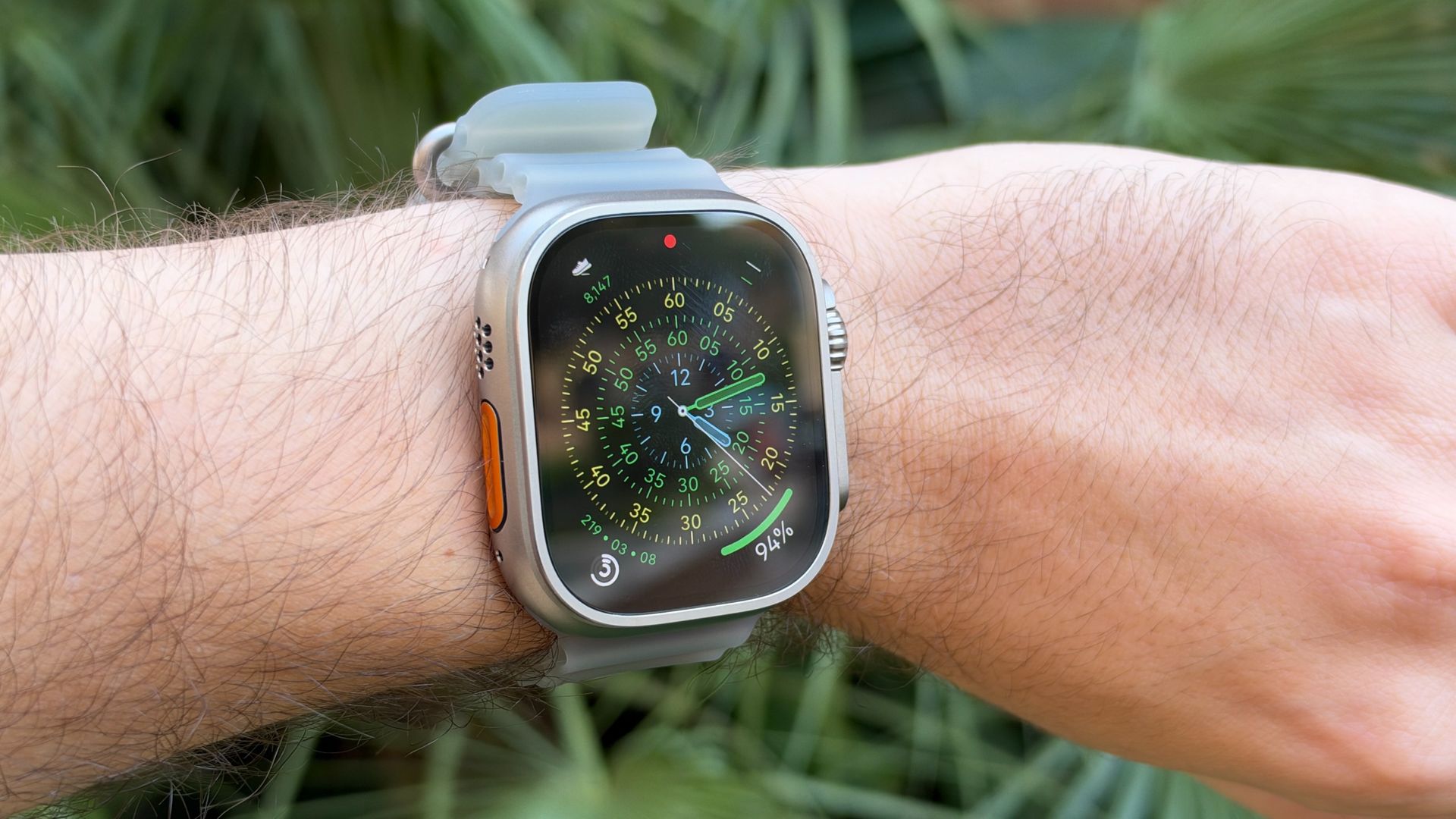
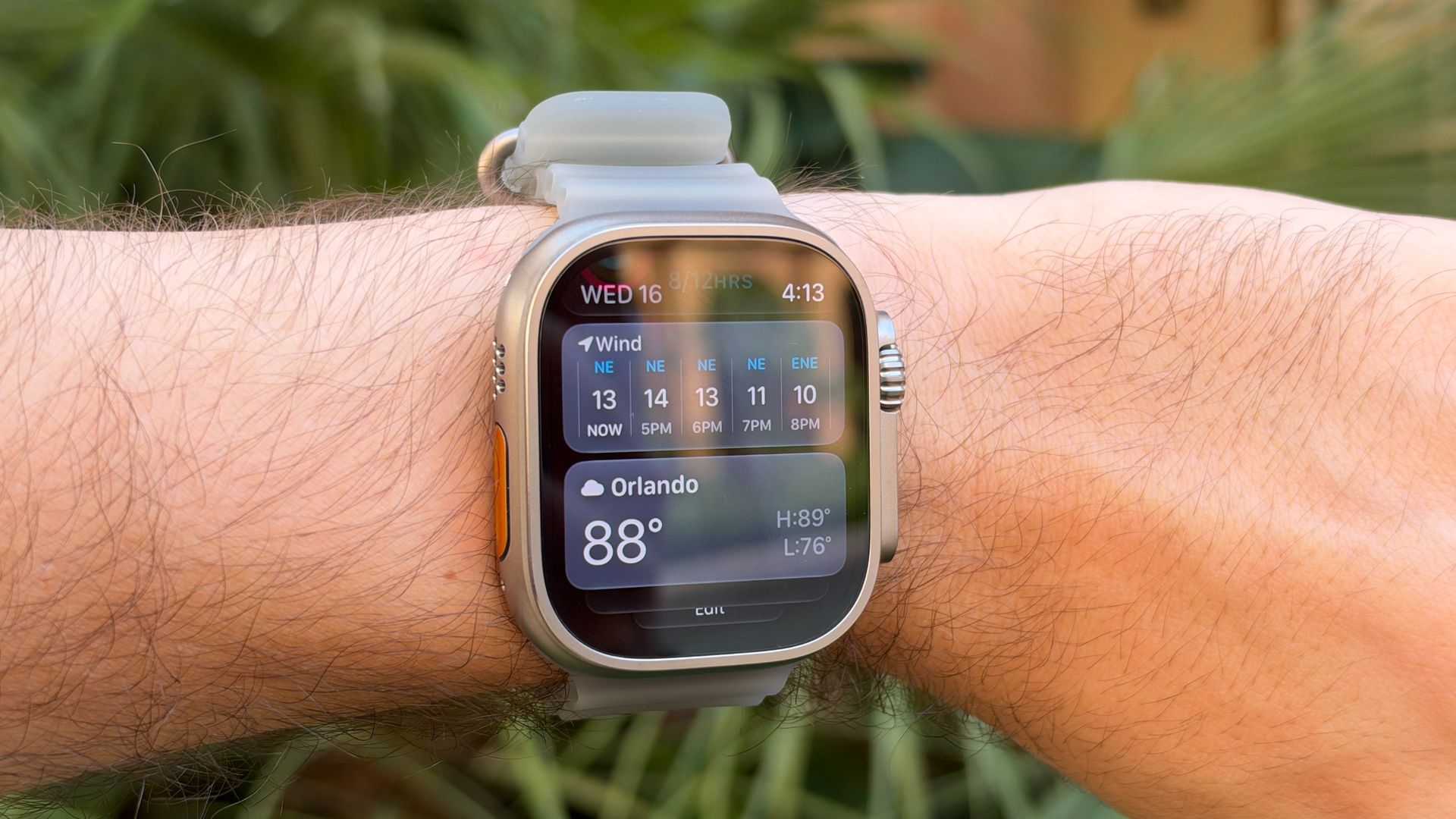
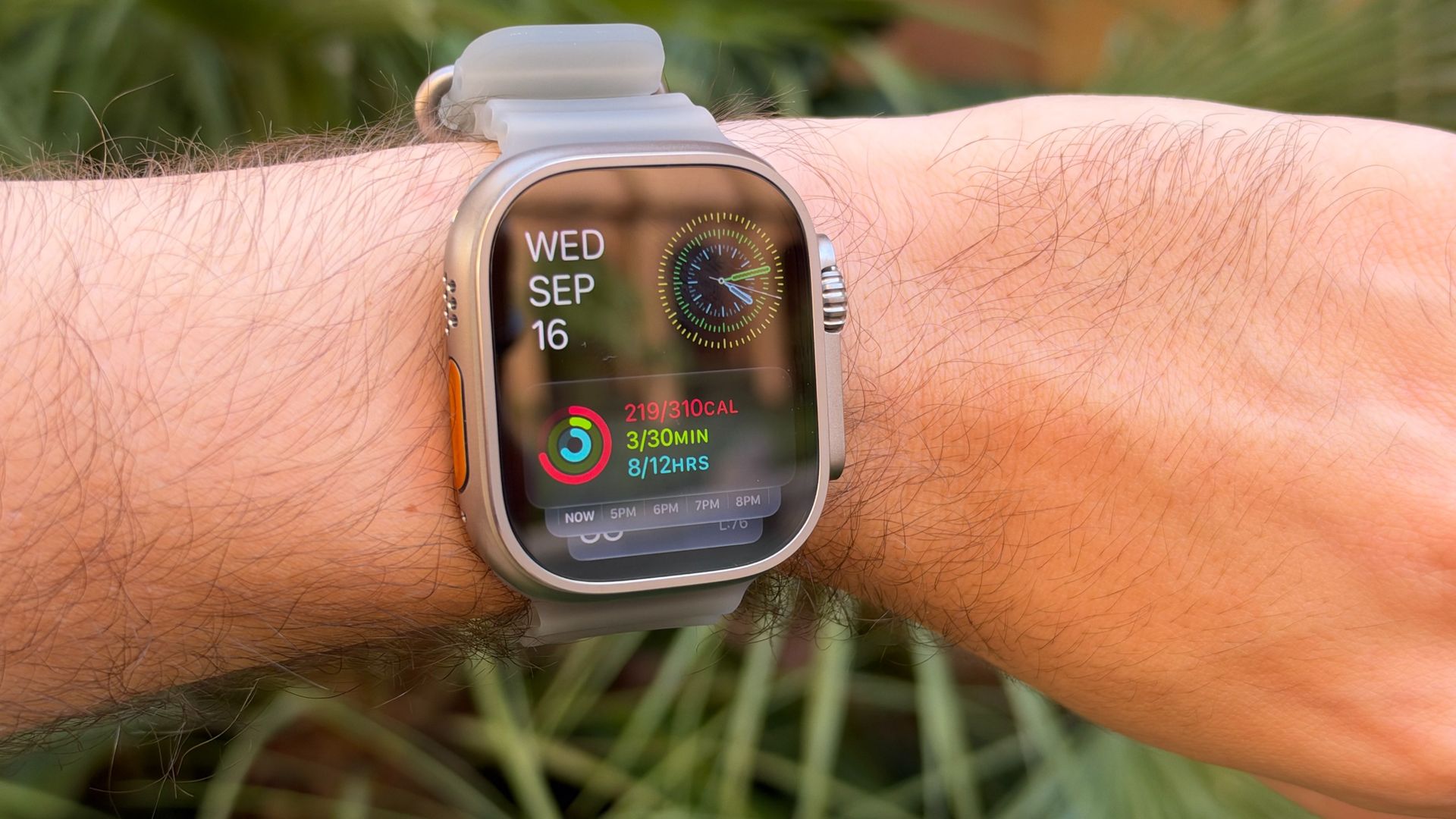
I've been testing the silver Natural Titanium version, and it's been a welcome change after rocking the Black Ultra 3 for well over a year. I like the contrast of the silver rim around the 49mm Retina display, and especially how the ‘Ultra Orange’ Action Button on the left side pops against the silver case.
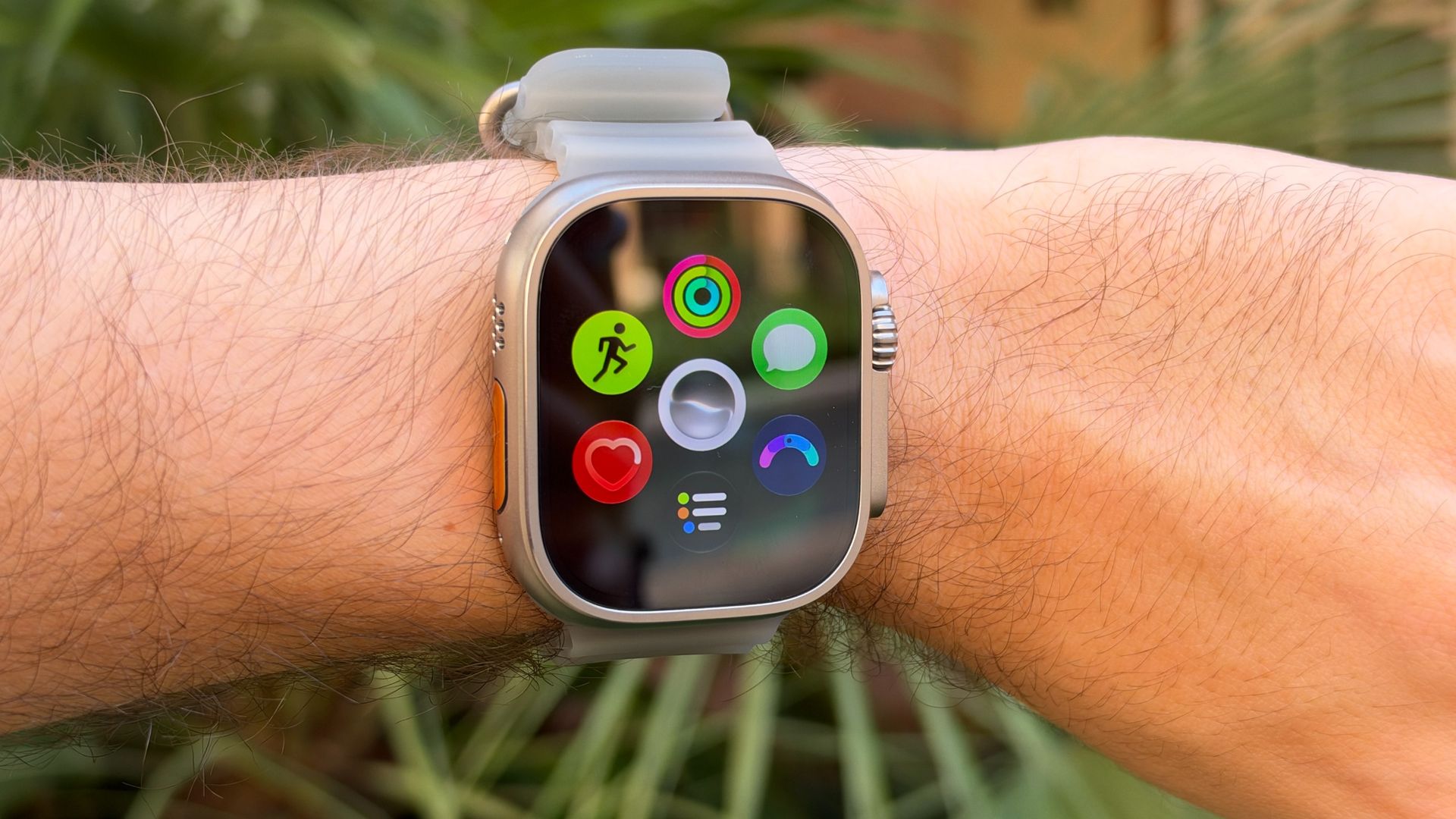
The Action Button remains a nice addition for easily running a customized Siri Shortcut or quickly starting a workout, and the 49mm Always-On Retina OLED LTPO3 display still looks great in pretty much any condition, whether that's under fluorescent lights, in the gym, or outside on a very sunny day.
The Action Button sits alongside the speaker and microphone on the left side, while the rugged Digital Crown (with its orange ring) and the main side button live on the right. The top and bottom of the Apple Watch are still where the bands connect, and there's no change to the connector — fingers crossed Apple never changes that, as it’s exemplary.
The main design changes, aside from the new bands, are on the rear. Apple is rolling out a new Health Sensing System to the Ultra 4 and Series 12, which looks a little like a complex sundial on the back of the case. It features a new wider layout for electrodes and diodes to cover a larger surface area on the wrist, which lets the Apple Watch take more accurate health measurements — particularly when tracking heart rate.
This is also where the magnetic Apple Watch charger attaches, and the box includes an updated charging puck. It still connects to a wall adapter or another power source via USB-C, with improvements to charging speed. And while the Series 12 is still a stunner and the Ultra 3 could run laps around plenty of other watches, there's a larger battery inside the Ultra 4. I'll share more on this in the Performance section, but battery life is seriously impressive, surpassing its 50 listed hours.
Aside from the Health Sensing System on the back, though, much of the design here is Apple sticking with what has made the Ultra successful since its launch. It's an ultra-rugged, road-ready Apple Watch that's likely a necessity for endurance athletes, but its distinctive build also appeals to those who simply want something different from the standard Apple Watch.
Design score: 5/5
Apple Watch Ultra 4: Features
(Image credit: Future/Jacob Krol)
Readiness score is excellent
Siri AI features to come
Improved vitals app
With the design mostly unchanged, much of what's new with the Apple Watch Ultra 4 comes from watchOS 27 and its health and activity features. I'm starting with the latter, as it's truly been the highlight of my testing.
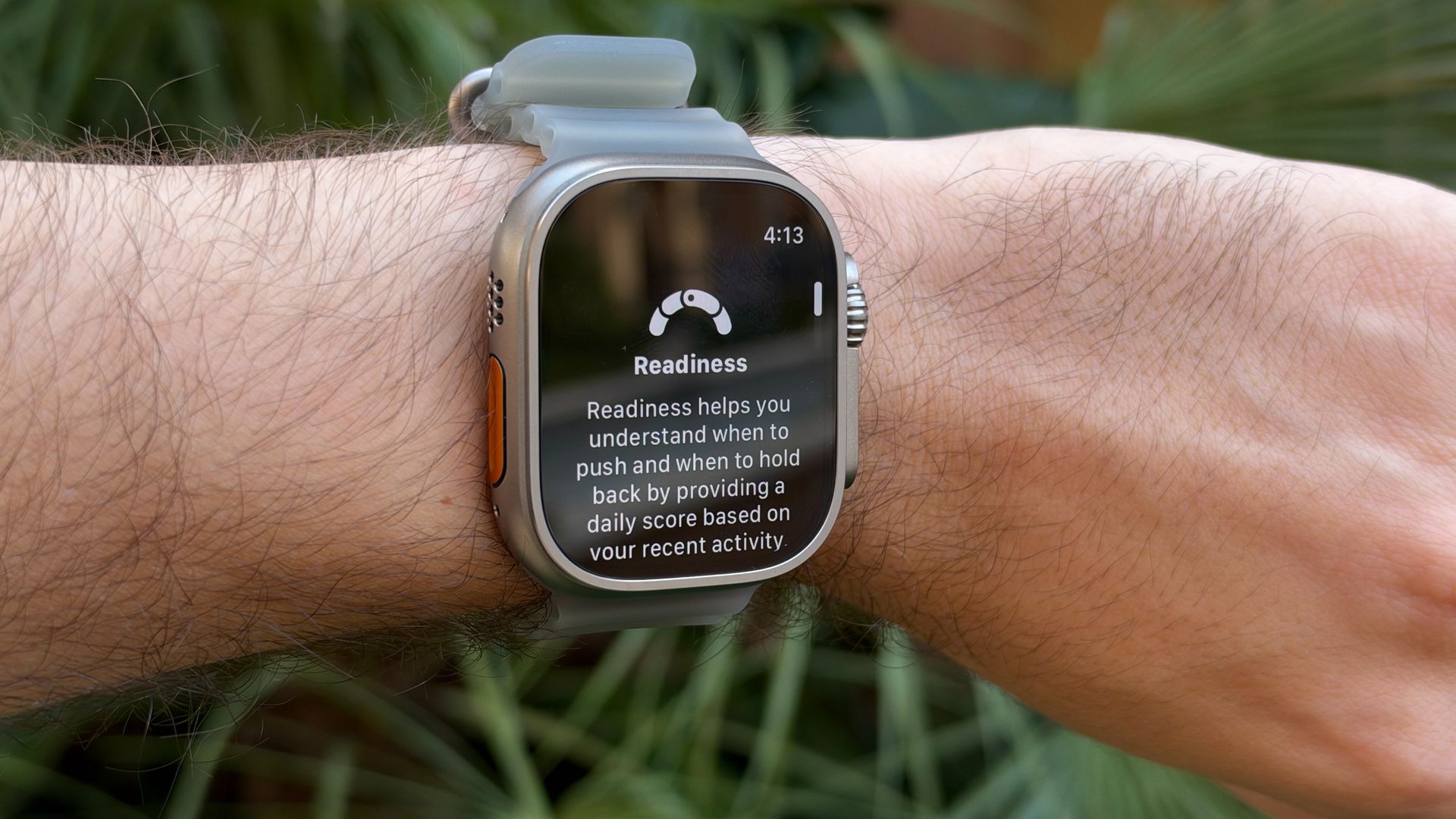
I've worn an Apple Watch since it first launched in the spring of 2015. My original aluminum model arrived on launch day, and I was admittedly hooked on closing my rings. Now, after more than a month with the Ultra 4 — alongside the Apple Watch Series 12 — my new favorite feature is Readiness Score. It received a big round of applause at the launch event, and for good reason: it fills a gap in Apple's health feature set compared with the competition.
Many other wearables, including smartwatches and smart rings, offer ways to contextualize your data and help you understand what it means. Most notably, the Oura Ring provides a daily score that gives you an idea of what you're ready to take on. It's not medical advice, of course, but it can help you make sense of the data it collects. However, that feature sits behind a paywall, as do comparable offerings from Whoop, although Google Health, Garmin, and others provide it for free after you purchase a tracker.
(Image credit: Future/Jacob Krol)
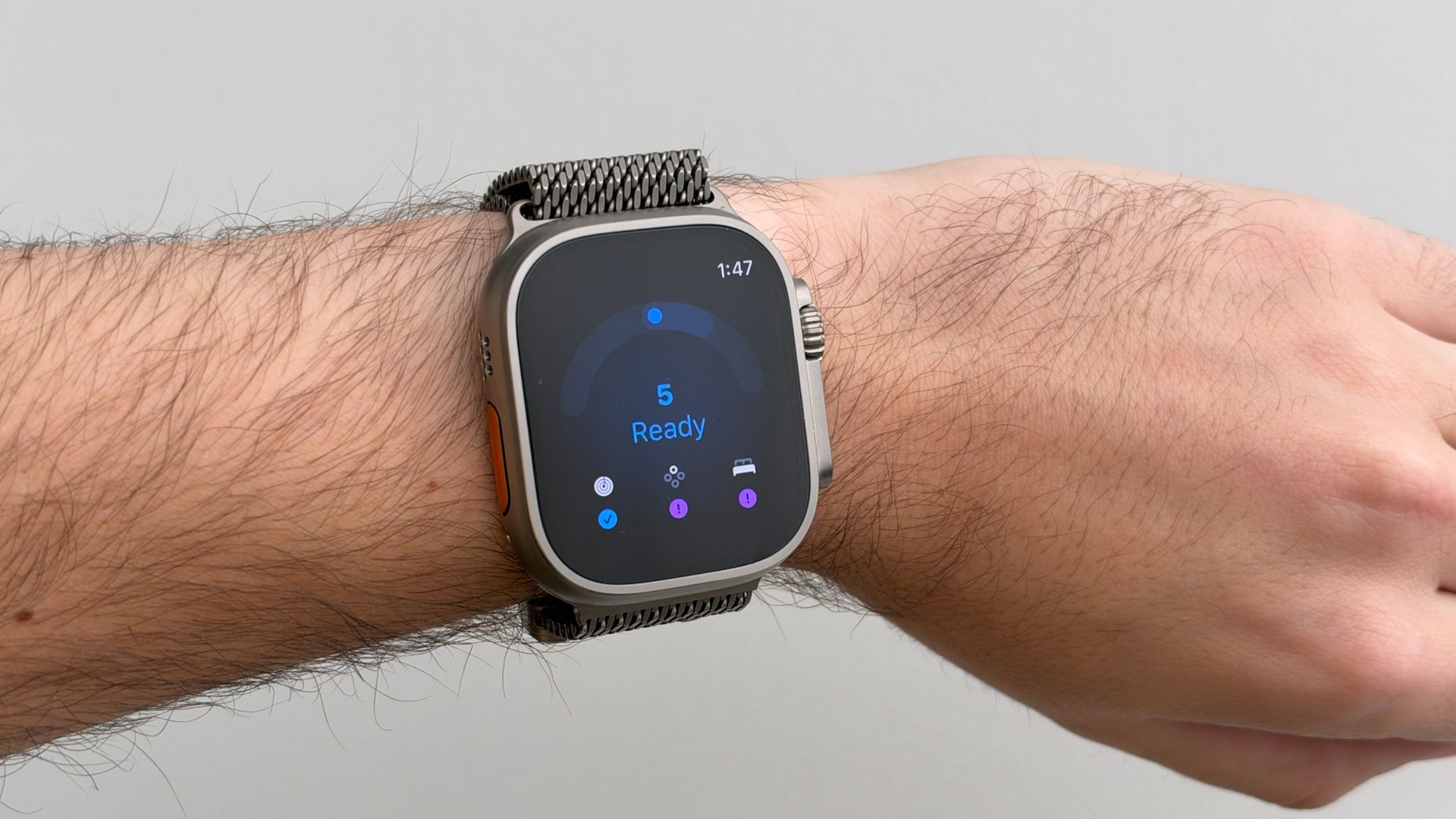
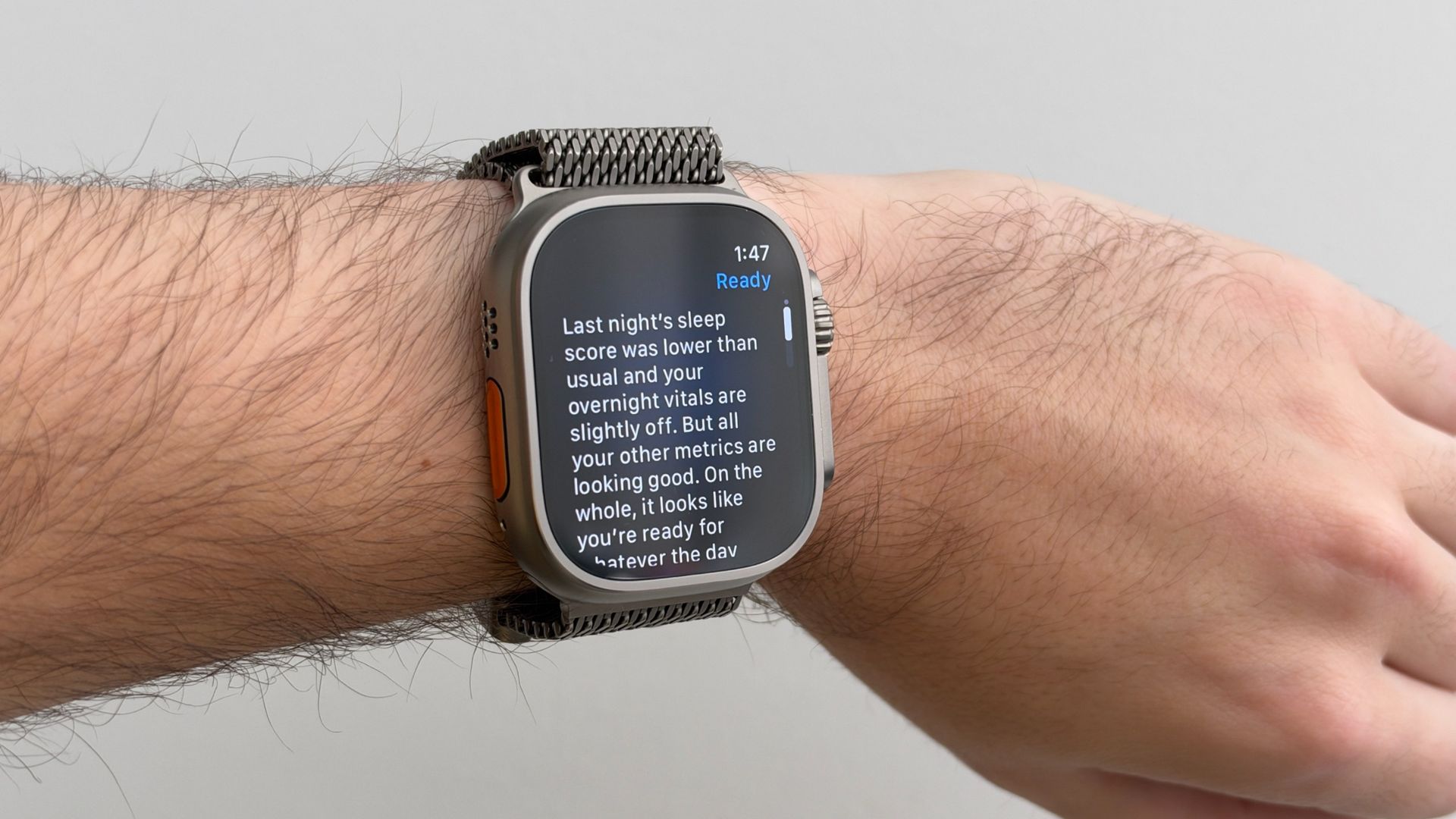
Apple's take on a Readiness score is sometimes less elaborate, but it's free if you have a compatible new Apple Watch and enough data for it to work. Based on your sleep score and previous day's activity, you'll get a score from 0 to 10 tailored to you, alongside a matching phrase. It's presented as a curved line or half-moon graphic. Sometimes, I was greeted with a blue 7, marked "Ready," with the explanation: "You had a good night's sleep last night, and all your other metrics are typical. It looks like you're rested and ready for today."
Jacob Krol/FutureJacob Krol/Future
Below is a smaller breakdown of Fitness, Vitals, and Sleep Score. These can change throughout the day depending on your activity rings and whether you log workouts. When you open the Health or Fitness app on your connected iPhone, there's more data to explore, too.
It's become my favorite feature of watchOS 27 because of how it integrates with the Activity Rings experience, while building on Vitals. Rather than opening another app each morning and scrolling through a series of statistics, you're presented with a single score that feels actionable. Compared with other health wearables, it's also nice that Apple isn't locking it behind a monthly subscription. You do need a compatible recent Apple Watch, so there's an upfront cost, but you won't have to keep paying to use the feature.
(Image credit: Future/Jacob Krol)
watchOS 27 also brings Siri AI to the wrist, provided your Apple Watch is paired with a compatible iPhone. While some more extensive requests can take an extra beat, the experience has been smooth, whether I raise my wrist to talk or simply say "Hey Siri." You can also ask for relevant information about your activity directly from your wrist.
The new Siri Modular watch face certainly spotlights this feature, placing Siri Suggestions below the time and above other complications. At times, it might suggest identifying a song with Shazam, remind you of your upcoming bedtime, provide the weather forecast, or offer other contextually relevant information.
Thanks to the new Health Sensing System, which supports activity and heart-rate tracking, blood oxygen measurements, hypertension notifications, and sleep tracking, Apple says heart-rate measurements are more accurate than ever. The Ultra 4 also introduces heart-rate variability (HRV) to the experience. You can add a complication that updates your heart rate in real time, as well as one for your step count.
Features score: 4.5/5
Apple Watch Ultra 4: Performance
(Image credit: Future/Jacob Krol)
Battery life performs as described
Accurate against HRMs and competitor wearables
Not yet able to test Audio Intelligence features
Apple's new S11 chip is doing a lot of the heavy lifting in the Apple Watch Ultra 4, and it's a noticeable part of the experience. Apps open quickly, navigating watchOS 27 feels incredibly responsive, and everything runs smoothly. Suffice to say, it’s what you expect from a $799 smartwatch in 2026, and while it doesn’t run laps around the Ultra 3, it has its moments where it has a bit more pep in its step.
The S11 also features a Secure Enclave and a separate always-on processor, helping balance performance with efficiency. That last part matters even more with the Ultra 4's physically larger battery.
Apple promises up to 50 hours of battery life with normal use, up to 84 hours in Low Power Mode, and up to 45 hours in Max Extended Workout Mode. In my testing, I've easily managed two and a half days on a charge with the Always-On display enabled and sleep tracking running overnight. That's seriously impressive for a fully featured smartwatch, even if some competing watches can last longer. The Ultra 4 won't win every battery-life comparison, but getting multiple days of use without sacrificing those everyday features is a big deal.
When you do eventually run low, faster charging makes it easier to top up. I've been able to get about 30% battery back in 15 to 20 minutes, which is handy if you forgot to charge overnight or want to give the watch extra juice before heading out. It doesn't eliminate the need to charge, of course, but combined with that extended runtime, it makes battery anxiety much less of a concern.
The S11 chip and new Health Sensing System also help power features like Readiness Score, which has quickly become one of my favorite additions to watchOS 27. But the chip is also laying the groundwork for Apple's forthcoming Siri Rewind and Live Recap features.
I haven't been able to test either just yet, and while I still expect them to arrive in the coming months, Apple hasn't confirmed exactly when they'll ship. If those features are the main reason you're considering the Ultra 4 — or the Apple Watch Series 12, for that matter — I'd wait until Apple provides a firm release date and we've had the chance to put them through their paces.
There are other smaller improvements that make the Ultra 4 nicer to use, too. Shazam and Sound Recognition are handy additions to have on your wrist, letting you identify music or recognize certain sounds without needing to reach for your iPhone. Shazam still struggles with some live music, though, so don't expect it to identify every song you hear at a concert.
(Image credit: Future/Jacob Krol)
Then there's the pedometer. It's a little wild that it's taken this long, but you can finally add a complication that updates your step count in real time right on your watch face. It's a simple quality-of-life improvement, but one that makes the Ultra 4 more useful at a glance.
In my testing across indoor cycling, outdoor walks, yoga, and indoor walks, the overall workout statistics and heart-rate readings have been in line with those from other devices, including the Oura Ring 5, Pixel Watch 5, Fitbit Air, and Apple Watch Series 12. Against an electrical heart rate monitor during a 5km run, the Apple Watch Ultra 4’s average heart rate reading was just 2 bpm away from the monitor’s. That’s well within the margin for error and just 1 bpm away from the Garmin Fenix 9 Pro’s readings during the same run.
Taken together, these aren't necessarily the sorts of changes that will make an Ultra 3 owner immediately rush out to upgrade. Instead, the S11 chip delivers a smoother, more efficient experience, while the larger battery makes it easier to take advantage of everything the watch has to offer. And with two and a half days of real-world battery life, that's a combination that's hard to beat.
Performance score: 5/5
Should you buy the Apple Watch Ultra 4?
Buy it if..
You need long battery life
The Apple Watch Ultra 4 can last for days, performing for up to two and a half days of real-world use in my testing.
You want Apple’s latest health features
The Readiness Score and Health Sensing System are only available on the current gen watches.
Don’t buy it if..
You don’t need Apple’s AI features
If you don't want the Audio Intelligence features or the Readiness Score, the experience is pretty close to Ultra 3.
Also consider
Apple Watch Series 12
Apple's cheaper, less powerful wearable.
Garmin Fenix 9 Pro
The Apple Watch Ultra 4's biggest competitor in the premium adventure watch space.
We tested the Apple Watch Ultra 4 by sleeping, working out, and living with the watch during a testing period comprising multiple weeks, staff members, and a review unit. We compared the watch's readings against competitor wearables, including an electrical heart rate monitor, drained the battery, and used as many available features as possible.