HP EliteBook X G2i: 30-second review
The EliteBook X G2i is deceptively lightweight due to the magnesium alloy that’s been used to make the outer casing, and as I’ve seen before with this material when it’s used in laptops, whilst the material itself is exceptionally strong, there is quite a bit of flex to it, which could be mistaken for a cheaper design.
However, the aesthetics back up the premium pricing of this business-focused laptop, and with its 14-inch screen and weight that comes in just below a kilo, it’s the perfect partner for anyone who travels frequently and needs a high-powered laptop to keep up with all their business dealings.
Inside is the latest Intel Core Ultra X7 358H CPU, which is coupled with Intel Arc B390 integrated graphics, and of course there’s also an integrated NPU to enhance all the AI potential from Copilot and other applications.
This laptop is obviously business-focused. However, that B390 GPU packs in some serious power, and whilst it isn’t gaming-focused, if you do want some downtime on a business trip, then this is very capable of playing some of the latest games. Whilst you might have to dial down some of the graphics, you’ll still get decent gameplay backed up with pretty decent audio.
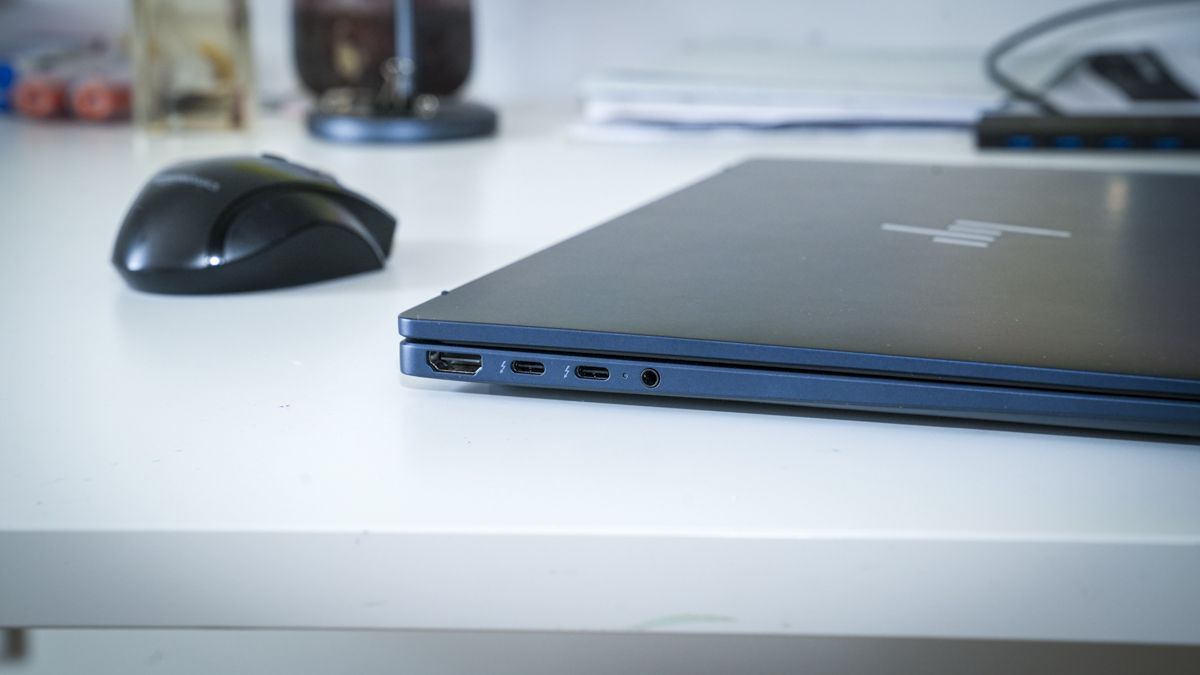
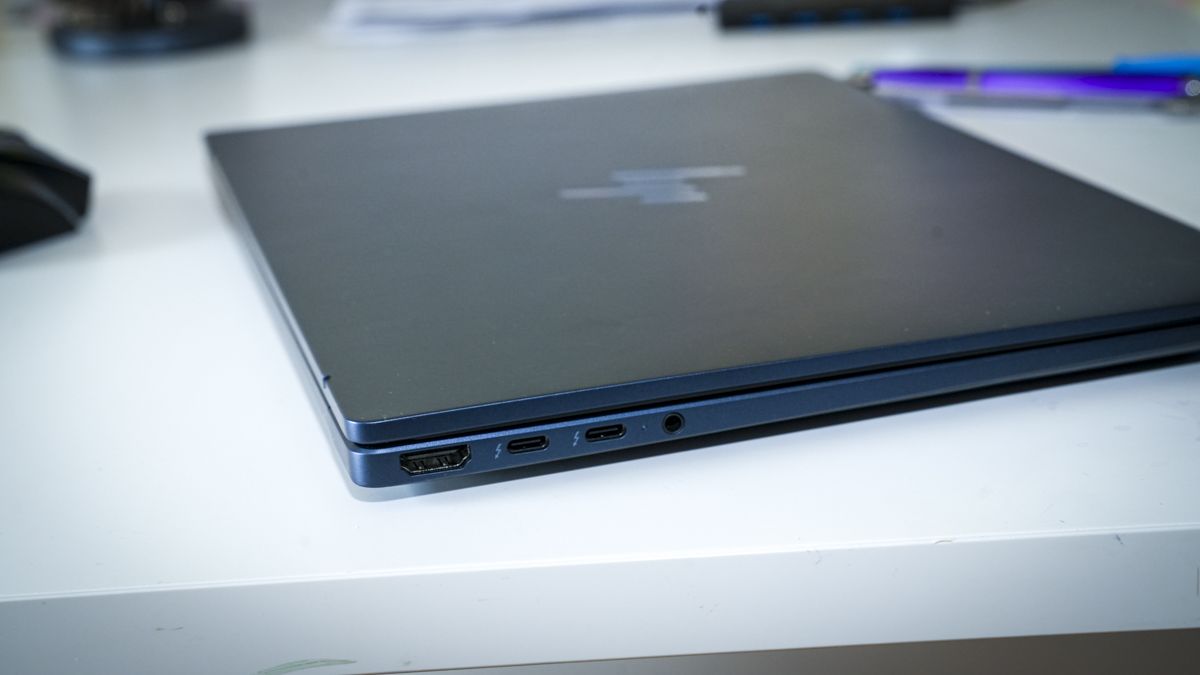
Checking over the body, there’s a select choice of inputs, including the full-size HDMI, so when you arrive at your destination you can plug into larger monitors or displays, including projectors for presentations. There are two Thunderbolt 4 ports that offer up to 40Gbps, so you can plug in larger external drives to expand on the relatively small 1TB internal SSD. On the right-hand side, there are two more ports: standard USB-A and a slower USB Type-C 3.2.
As I ran through the tests, first of all starting off with Microsoft Office, this laptop kept pace with opening Word documents, editing and updating spreadsheets, and creating PowerPoint presentations, and this was all well within the capabilities of this powerful laptop. What was especially relevant here was that 3K-resolution screen, which just gives you that extra bit of real estate so that, when it comes to laying out your work, you’re not struggling to see palettes or the presentation at full size.
As I swapped over to some creative applications, starting in Lightroom then progressing onto Photoshop, again the speed of this laptop really stood out. It handled Photoshop without issue, and Lightroom rendered libraries quickly. As I then progressed onto CapCut and then Premiere Pro for video editing. Whilst I did need to plug in an external SSD to boost the storage, the machine itself was more than capable of handling short 4K edits without missing a frame.
The only time the machine did start to show limitations was as I swapped over to playing games, and whilst it was capable of running Indiana Jones and the Great Circle and Hogwarts Legacy, as I started to crank up the graphics, I could start to see the frame rates struggle and the fans kick in. However, that said, using the standard settings set through the installation for these games, the gameplay was exceptionally good.
The power of this small machine is reflected in the price, and this is by no means cheap, especially when you consider it only has a 1TB hard drive and 32GB of RAM. When you go up to the next level, the price does dramatically increase.
However, I'd rate this as one of the best business laptops for those looking for a machine that goes well beyond everyday work. Yes, it supplies far more power than most people will require, but the balance of ability and cost is exceptionally well considered, and when you take into account just how powerful it is and just how lightweight, if you travel frequently, then this is a great option.
HP EliteBook X G2i: Price and availability
- How much does it cost? From £2,445 / $3,599
- When is it out? Available now
- Where can you get it? Directly from HP or Amazon
At present, the HP EliteBook X G2i is available for £2,445.59 including VAT, and in the US, a similar configuration to the one that I’ve looked at here retails for around US$3,599. The laptop is widely available either directly through the HP website or through most major retailers, both on the high street and online.
- Value: 3.5 / 5
HP EliteBook X G2i: Specs
CPU: Intel Core Ultra X7 358H, 16 cores/16 threads, up to 4.8GHz
Graphics: Intel Arc B390 integrated GPU
RAM: 32GB LPDDR5x-9600 onboard
Storage: 1TB PCIe NVMe M.2 SSD
Display: 14-inch, 2880 x 1800, 120Hz, 500 nits, 100% DCI-P3
Left Ports: 2x Thunderbolt 4/USB-C 40Gbps, HDMI 2.1, 3.5mm audio combo
Right Ports: USB-C 10Gbps, USB-A 5Gbps, nano security-lock slot
Connectivity: Intel Wi-Fi 7 BE211 (2x2), Bluetooth 6
Audio: Poly Studio, four stereo speakers, dual microphones with AI noise reduction
Camera: 5MP IR AI camera with privacy shutter
HP EliteBook X G2i: Design
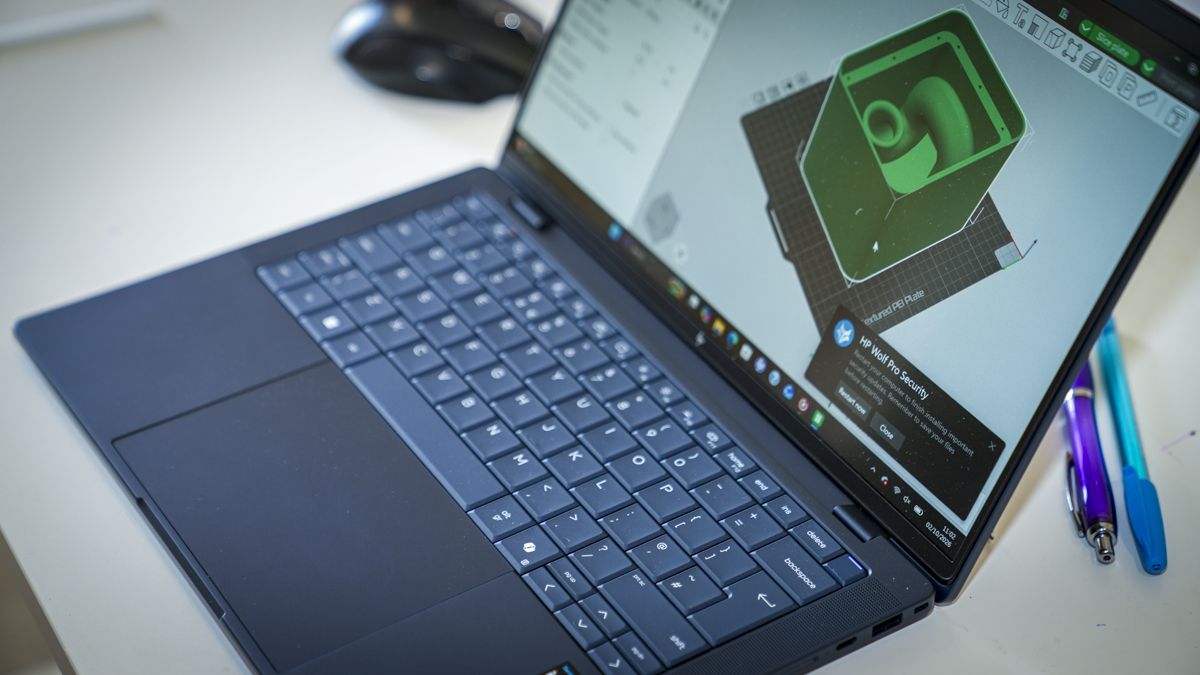
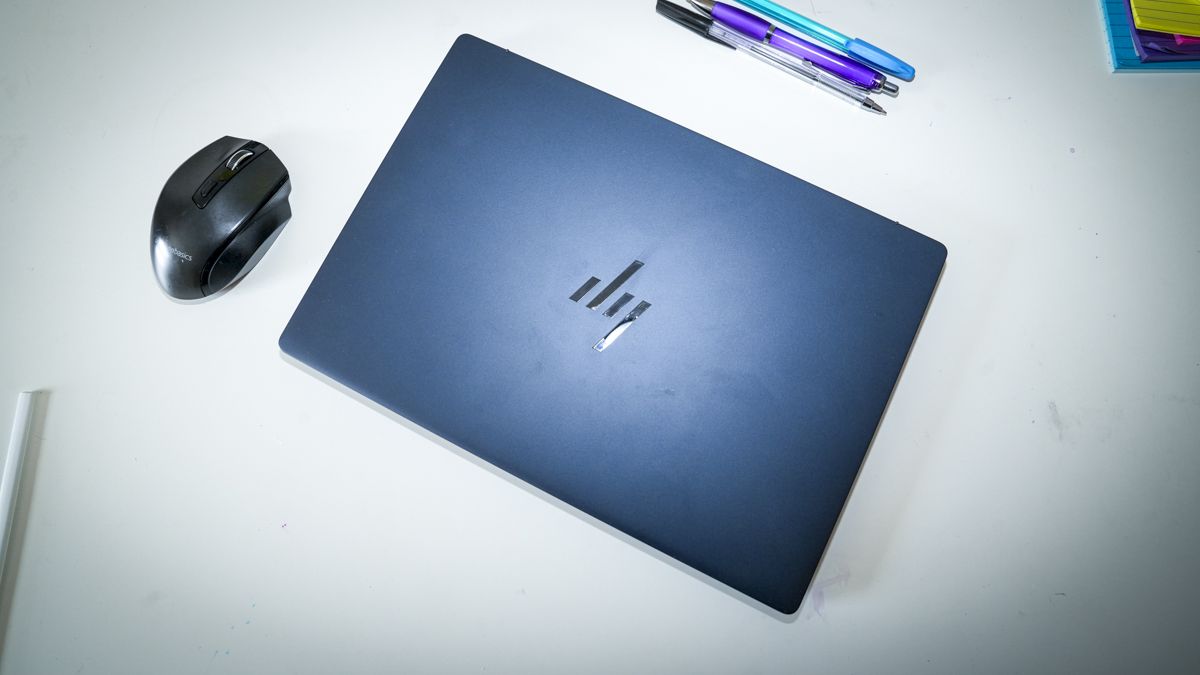
When it comes to design, the EliteBook X G2i is incredibly understated. It’s finished in a dark blue, which HP has called Atmospheric Blue, which does give it a premium look, although when you first pick up the laptop, the lightweight build and the slight flex that you get with all-magnesium-alloy cases are slightly in contrast to what you expect.
However, having spent a couple of weeks fully testing the EliteBook X G2i and carrying it in my backpack, I’ve been impressed by both its durability and its lightweight design, which is far lighter than my usual MacBook Pro M1 Max, yet the power is easily equal to what the Mac is capable of.
Whilst the overall machine does look relatively small, as you open up the lid it reveals the large 14-inch screen, which is impressive with its 3K resolution, offering 2880 x 1800 resolution and a 120Hz refresh rate. As I sat in a café typing up this review with a bright light streaming in behind me, I was also impressed with the 500-nit brightness and the non-reflective screen that made it exceptionally easy to see the applications, where I have found in the past that some other screens are just too reflective.
Through the test, I planned a small video edit and PowerPoint presentations to create, and having to create these on the move seemed like a perfect time to put the laptop to the test. A couple of points that I noticed as I headed out the door were that the 1 TB SSD, which is fine for PowerPoint and most business-focused productivity, is still relatively small.
As I needed to also edit a video shot on the DJI OSMO Pocket 4P, I packed a Thunderbolt 4 portable SSD just to expand on the internal storage. This is where this laptop and its design really start to come into their own. The power is more than adequate for most productivity, but with that CPU and GPU combo, it’s also an ideal option for light to midweight creative applications such as Adobe Lightroom, Photoshop and Premiere Pro.
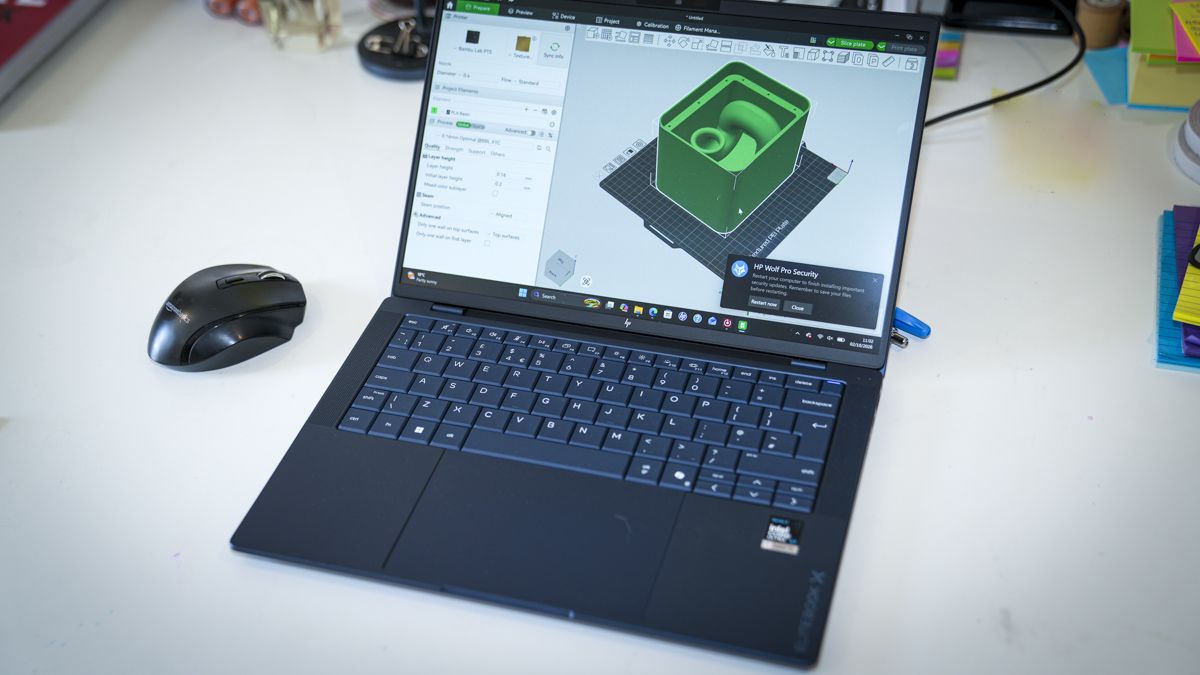
The only downside is that 1 TB SSD is rather limited. However, with those two USB4/Thunderbolt 4 ports on the side of the machine, I was able to connect a larger Thunderbolt 4 SSD to expand the storage, and this is a far cheaper option than opting for the larger-capacity internal SSD when speccing out the machine. The other point that I really like is that the HDMI on the side is full-sized, so when I arrived at the office or was ready for a lecture, I was able to plug the laptop directly into the existing system without the need for any adapters.
While the laptop is small and lightweight and packs in plenty of power, the one thing that impressed me more than anything else about the laptop was the quality of the keyboard. This is one of the best typing keyboards that I have ever come across on a laptop. The actuation of the keys is precise, and it has just a feeling of absolute quality. The keyboard layout is also well thought out, and whilst the cursor keys in the bottom right are half-sized, it’s just a pleasure to use.
When it comes to design, rather than aesthetics, it has a high-quality premium look, and whilst when you pick it up it is lightweight due to the magnesium casing, which does offer a little bit of flex, it is ultimately also extremely robust, just reinforcing its price point and intended use as a high-powered business machine to be used anywhere.
- Design: 4 / 5
HP EliteBook X G2i: Features
The feature set of this business-focused laptop is impressive, with an Intel Core Ultra X7 358H at the heart of the machine. This offers 16 cores and 16 threads and a boost up to 4.8GHz, which is more than enough for any corporate work but is also good for creative use as well as a bit of light to moderate gaming. Graphics are supplied by an integrated Intel Arc B390 GPU.
This is one up from many that we see in this level and type of laptop, which does give everything a little bit more potential. My review sample was equipped with 32GB of LPDDR5X onboard RAM. This means that it’s soldered to the motherboard and can’t be upgraded, but this is plenty for most productivity and even for light to midweight creative image and video use, although you are starting to hit the limits with video editing, and 64GB is generally the preferred amount.
When it comes to storage capacity, there’s a 1 TB NVMe SSD. This is a decent balance considering the cost of the machine, and if you do need more for video or just to store data, then you can pick up a relatively large and fast portable SSD that can be plugged into the ultrafast Thunderbolt 4 ports on the side.
As I’ve seen with a lot of mini PCs and laptops recently, there’s also an integrated NPU, and this is the Intel AI Boost NPU that provides up to 50 TOPS of performance and essentially helps Copilot and Adobe applications run locally without requiring online services for their AI features. If you’re thinking of running a local LLM then you can, but at 32GB RAM the potential is limited.
Impressively, when it comes to connectivity, there’s Wi-Fi 7 and Bluetooth 6, so they're the current generations for both wireless connectivity options. When it comes to more traditional wired connectivity, there are two Thunderbolt 4 ports, which really show the premium level of this machine, and these support up to 40Gbps, ideal if you need to do some video editing.
But video and creative content aside, if you have large documents that you need to transfer to the machine or from one portable drive to another, then again that 40Gbps connection will be extremely welcome. Those ports also enable USB charging and DisplayPort 2.1. On the other side of the machine, there’s a further 10Gbps USB-C connection and a USB-A port for older devices if you need to connect them. This is really great to see on this level of machine, especially with its business focus.
Most importantly for business use is the fact that it offers HDMI 2.1, so if you need to connect up to a monitor, display or projector, then the full-size HDMI is pretty standard, so you shouldn’t need any other adapters. Essentially, you’ve got two different forms of connecting to displays: Thunderbolt 4 or the more standard HDMI.
The internal speakers for the laptop are also a bit of a surprise, and they offer really good audio clarity, both when listening back to meeting presentations and for playing games and listening to music. I also found that these were good, clear and loud for video conference calls, and those I was speaking to were able to hear me nice and clearly.
One of the big features of this new HP laptop is the HP business security suite, and as you start up, you get access to the full suite and its features, which include HP Admin, Sure Click, Sure Recover, Sure Sense and Tamper Lock. These all need to be set up by yourself or your IT team, but to have them all featured here just shows once again the focus on security and business of this laptop.
- Features: 4.5 / 5
HP EliteBook X G2i: Performance
CrystalDiskMark Read: 3,470.97 MB/s
CrystalDiskMark Write: 3,475.15 MB/s
Geekbench 7 CPU Multi: 16,654
Geekbench 7 CPU Single: 2,106
Geekbench 7 GPU: 56,062
PCMark Overall: 7,522
Cinebench 2026 CPU Multi: 3,407
Cinebench 2026 CPU Single: 411
Fire Strike Overall: 13,767
Fire Strike Graphics: 17,305
Fire Strike Physics: 25,084
Fire Strike Combined: 4,289
Time Spy Overall: 6,918
Time Spy Graphics: 6,425
Time Spy CPU: 12,241
Wild Life Overall: 46,556
Steel Nomad Overall: 1,638
Sky Diver: Not recorded
Windows Experience Overall: 8.9
Procyon: 1,667
Getting started with the HP EliteBook was all straightforward enough, and as I lifted it from the box, the first thing that struck me was just how lightweight this laptop is. With its magnesium-alloy casing, it had a nice, premium feel. There is a little bit of flex on the top of the machine, which you often get with these lightweight metals. That can be a bit deceptive, since you would normally associate that with cheaper units. However, through the two weeks of solid testing of this laptop, it was very obvious just how durable it is despite that slight flex.
Once the laptop is powered on, I ran through the usual Windows 11 Pro setup, which should take between 10 and 20 minutes depending on the options that you select. It also enables Windows Hello, so you can open and access the laptop using your face rather than needing to type in a password. It’s then a case of setting up any applications that you want, and HP has included its security suite here as well, which prompts you at various stages to complete the setup.
The HP security suite essentially offers lots of different features, including malware threat protection, credential protection, a secure browser, OS resiliency, application persistence and other features. You do need to activate it and register, but for the first year it all seems to be free.
As I started out the test, loading Microsoft Office to check out productivity, and as the Windows Experience score of 8.9 highlighted, this laptop just takes all Windows applications in its stride. Opening up Word, PowerPoint and Excel, running all three and quickly switching between each was as fast as any laptop.
But what really stood out here was that 3K-resolution screen, which just gives you far greater real estate for all the panels, and whilst everything is obviously a little bit smaller on screen, you can see an awful lot. There’s really good, high-quality clarity to the visuals.
A quick run of Geekbench 6 and 7 highlighted just how fast the Intel Core Ultra X7 358H is, and really, for all productivity, this machine is right at the top of what you would need. This was once again reinforced by the PCMark score.
As I progressed from productivity to creative applications and looked at Adobe Lightroom and Photoshop, again the speed of the processor and GPU working together provided a great balance.
The extra resolution that the screen offers over the lower-resolution screens that you often see on this size of laptop really does make a difference, especially in Photoshop, where navigating panels was just that much easier. Opening multiple images open shot on the Canon EOS R5 C, the clarity of the images was exceptionally good, and I was impressed with the overall colour accuracy of the monitor.
The other point here was that, as I opened up Adobe Bridge to view the thumbnails of the images shot, the machine was able to render the thumbnails quickly. Whilst there was still some render time, it kept up with the pace of the scrolling, and there was no point where I had to wait for minutes for those thumbnails to appear.
Opening up palettes, layers and working on images with enhancements was absolutely no challenge to the CPU or GPU, and even when I utilised Generative Expand on a couple of images to take them from 16:9 to 21:9 aspect ratio, the machine was able to process those locally, and the results were exceptionally good.
My only point through editing was the lack of SSD space for images. However, that Thunderbolt port on the side, with a portable SSD connected, expanded the storage easily and cheaply. This storage was again utilised for video editing, as there’s just not enough space on that internal SSD to store much.
But with the Thunderbolt 4 connection offering 40Gbps, Premiere Pro was able to access the drive with speed for both media and caching, and short five-minute video edits were completed with absolute ease, including transitions and rendering.
The one surprise here was that the performance of the internal SSD was far slower than I expected, with read and write speeds around the 3,500MB/s mark, which, considering the premium price tag and the positioning of this laptop, was slower than I had expected, with most laptops these days offering at least 5,000 to 6,000MB/s.
However, for general productivity this speed is more than sufficient, and even for image editing and most video it will keep up with the speed. It’s only when multiple files are being accessed or transferred that you will start to see a slight slowdown.
To finish off the test, I loaded up Indiana Jones and the Great Circle and was pleased to see that, firstly, it loaded without issue, and the gameplay was pretty solid, with smooth motion and graphics, although some of the more advanced effects were turned down. Likewise, Hogwarts Legacy was equally impressive on speed, and again, whilst some of the effects were turned down, the overall quality of the animation and gameplay was superb.
This is a business-focused laptop, and that’s obvious from the aesthetics, design and weight, coming in at less than a kilo, which makes it a perfect option for travel. Whilst many lightweight laptops sit in the premium bracket they can also be underpowered, however, here the Intel Core Ultra X7 358H packs in far more power than much larger laptops, and from productivity to creative work and even gaming, this laptop was more than powerful enough to run them all.
The other point that really impressed me was the fact that there’s a good selection of ports, with Thunderbolt 4 being supplied over the usual USB4 Type-C, and full-size HDMI and a standard USB Type-A, which enable plenty of flexibility for connectivity wherever you are.
However, surprisingly, the feature that really stood out to me beyond anything else was the quality of the keyboard. It felt much nicer to type on and higher quality than I’ve seen on far more expensive laptops, and the typing experience was fluid and swift. For me, when you look at the price, specifications, and quality of the screen and keyboard, that makes this laptop an exceptionally good option for business.
- Performance: 4.5 / 5
HP EliteBook X G2i: Final verdict
This ultralight 14-inch business laptop is powered by Intel’s latest Core Ultra X7 358H processor and backed by Arc B390 graphics. Wow, this laptop is ultra-light. The performance has been levelled up, as there is plenty of power beyond simple office tasks, and whilst it’s perfect for all productivity, its abilities will also stretch to some relatively midweight creative use, including editing video and dealing with the latest AI tasks.
The EliteBook X G2i does sit at the premium end of the laptop range, especially when you consider that it just has 32GB of RAM and a one-terabyte internal SSD. However, the lightweight design is backed by some serious processing and graphics potential. When it comes to pure productivity, there are few other laptops at this price that can match it on power.
There are things that are limited, such as that upper limit of RAM and the storage capacity, and whilst the storage can be boosted due to the fact that it features two Thunderbolt 4 ports, the RAM will be a bit of a limitation if you are looking for a laptop that not only enables you to use all the Microsoft Office applications at the top of their performance but is also a very capable 4K video-editing machine.
Whilst it is able to edit 4K video with relative ease, the internal SSD is a limitation, as is the 32GB of RAM. However, for the lightweight use intended, it will be more than sufficient.
Essentially, what you have here is a very powerful laptop that matches the power that you would usually expect from something a lot larger and heavier, which makes this an ideal option for anybody who travels frequently and needs a powerful laptop that they can always carry with them.
Some of my early worries about the robustness of the build due to some slight flex in the casing were gradually dispelled, and it proved that the magnesium material was robust and strong after lasting out the test as I carried it around in my backpack for a couple of weeks. However, I would’ve preferred, for a laptop at this price, for that top casing just to be a little more rigid.
When you look at competitors at this end of the market, and at this price, the HP EliteBook X G2i is exceptionally well priced. But what gives it the edge is not the power but the keyboard, which I can say is one of the nicest keyboards that I’ve ever used.
Should I buy the HP EliteBook X G2i?
Value | this is a business-focused laptop, and for its high-powered CPU and GPU, you are paying a premium. | 3.5 |
Design | exceptionally light and slim, perfect for travel, but there is some flex in the casing | 4 |
Features | well-balanced set of features for general use; however, for creative use I’d probably opt for the 64GB version. | 4.5 |
Performance | all-round excellent performance from the CPU, GPU and NPU for both productivity and creative use. | 4.5 |
Overall | if you need a robust, powerful, lightweight laptop for travel, then this is an exceptional option. | 4 |
Buy it if...
Travel is essential
At just under a kilogram, the EliteBook is seriously lightweight, and packing in powerful components, it’s a great option for travel.
Graphics actually matter
The Intel Arc B390 graphics are exceptionally good and proved very capable for both creative use in Photoshop and Premiere Pro, as well as some 3D modelling and rendering within Blender.
Don't buy it if...
Value comes first
This is a business-focused machine, and with that focus come certain features and components that all command premium prices. You can get cheaper machines with just as powerful components for a lesser price.
Gaming is a priority
While the Arc B390 GPU is impressive for general and creative use, if you’re into gaming, then you are going to want a GPU with a little more power.
For more professional-grade desktops, we've tested the best business computers.
from Latest from TechRadar https://ift.tt/HhnNvkl




No comments:
Post a Comment